
Introduction
Your Apple Watch screen cracked—and now you’re staring at it in frustration. Whether it slipped from your wrist at the gym, got knocked off the counter, or simply met the wrong edge of a table, a cracked Apple Watch screen can feel devastating.
The Apple Watch is more than just a piece of tech. It’s your fitness tracker, your message center, your payment device, and sometimes even your lifeline in emergencies. That’s why when the Apple Watch screen cracked issue happens, panic sets in.
But here’s the truth: most people make their cracked screen problem worse by doing the wrong things right away.
This blog—“Apple Watch Screen Cracked? 7 Negative Mistakes You Should Avoid (Helpful Guide 2025)”—will show you what to avoid when your Apple Watch breaks, what steps you can safely take, and when it’s time to hand it over to a professional repair service like Arora Tech, conveniently located in Gloucester Premium Outlets, Blackwood, NJ.
Let’s dive in.
Why Does the Apple Watch Screen Crack So Easily?
Before we cover mistakes, let’s address why the Apple Watch screen cracked problem is so common.
- Small Surface Area: The Apple Watch is tiny, so impacts concentrate on a smaller surface.
- Glass Exposure: Unlike a phone with a case, most people wear their Apple Watch with little to no protection.
- Daily Usage: It’s strapped to your wrist during workouts, cooking, commuting, and even chores—making it easy to bump.
- Material Limits: Even sapphire glass can shatter under the wrong angle or enough pressure.
Now that you know why it happens, let’s look at the 7 negative mistakes you should avoid when dealing with a cracked Apple Watch screen.
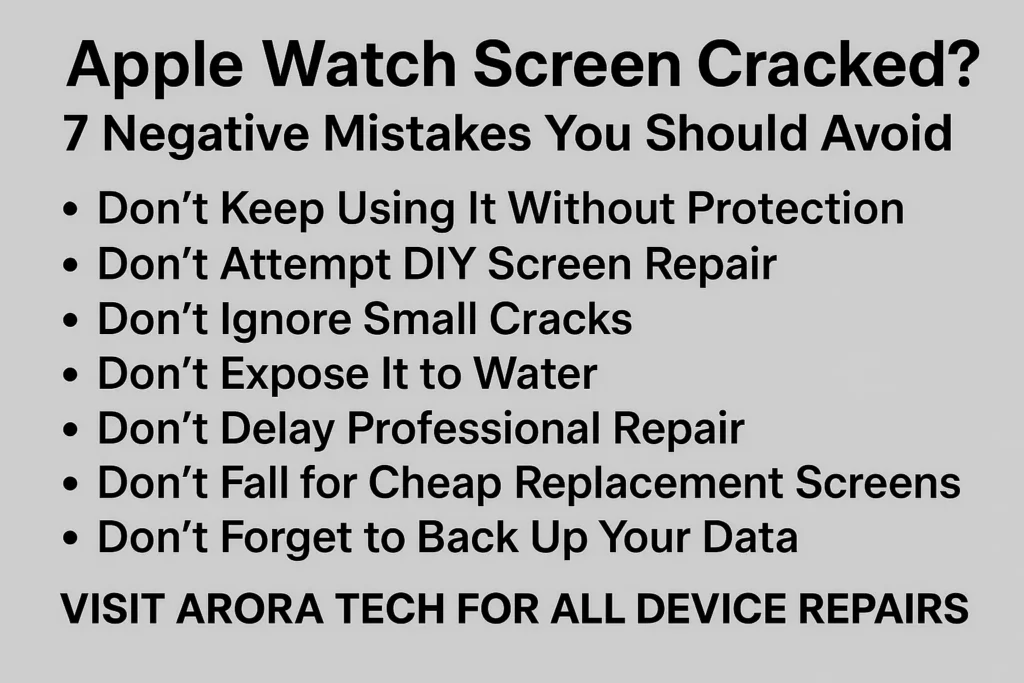
1. Don’t Keep Using It Without Protection
One of the worst things you can do when your Apple Watch screen cracked is to keep wearing it as if nothing happened.
Why it’s risky:
- Glass splinters can cut your skin.
- Moisture and dust seep through cracks, damaging internal components.
- The crack spreads over time, making the repair costlier.
What to do instead:
- Immediately power down the watch.
- Apply a temporary screen protector or clear tape to prevent glass from spreading.
- Schedule a repair as soon as possible.
2. Don’t Attempt DIY Screen Repair
We get it—YouTube makes it look easy. But trying to repair a cracked Apple Watch screen yourself is a huge mistake.
Why?
- Apple Watches are sealed devices with waterproof adhesives.
- Removing the screen requires specialized tools.
- DIY attempts often lead to damaged sensors, broken batteries, or permanent loss of water resistance.
Instead, trust professionals like Arora Tech who have the tools and experience to handle delicate Apple Watch repairs.
3. Don’t Ignore Small Cracks
Many people think, “It’s just a hairline crack, I’ll deal with it later.”
Bad idea. A small Apple Watch screen cracked line can expand into a spiderweb crack within days.
Risks include:
- Touchscreen malfunction
- Display discoloration
- Sudden blackouts if the LCD fails
If you see any crack at all, treat it seriously.
4. Don’t Expose It to Water
The Apple Watch is water-resistant, but not after the screen is cracked.
A cracked seal = water infiltration.
What happens then?
- Condensation inside the screen
- Battery short-circuiting
- Sensor malfunction
So, if your Apple Watch screen cracked, take it off before swimming, showering, or even washing dishes.
5. Don’t Delay Professional Repair
The longer you wait, the worse the damage becomes. Many people procrastinate because they’re afraid of repair costs.
But waiting often means:
- Replacing the entire watch instead of just the screen
- Losing important health data stored on the watch
- Paying double or triple the repair cost later
Pro Tip: Arora Tech offers quick turnaround times for Apple Watch screen repairs, saving you from extended downtime.
6. Don’t Fall for Cheap Replacement Screens
Yes, you’ll find cheap Apple Watch replacement screens online. No, they’re not worth it.
Issues with third-party cheap parts:
- Poor touch sensitivity
- Wrong color calibration
- Loss of water resistance
- Short lifespan
At Arora Tech, genuine and high-quality replacement parts are used to ensure your Apple Watch works like new.
7. Don’t Forget to Back Up Your Data
Many people rush into repairs without backing up their watch. If your Apple Watch screen cracked and you need service, protect your data first.
Steps to back up:
- Open the Watch app on your iPhone.
- Go to General > Reset > Erase Apple Watch Content and Settings (this triggers an automatic backup).
- Repair safely knowing your data is stored.
When Should You Seek Professional Repair?
If your Apple Watch screen cracked and you notice:
- Deep cracks or shattered glass
- Touchscreen not responding
- Black spots or flickering display
- Water damage signs
…it’s time to get professional help.
And that’s where Arora Tech comes in.
Why Choose Arora Tech for Apple Watch Repairs?
📍 Store Address: Next to UGG’s, 100 Premium Outlets Dr Store #785, Gloucester Premium Outlets, Blackwood, NJ 08012, United States
📧 Email Us: techbyarora@gmail.com
With years of expertise, Arora Tech provides:
- Professional Apple Watch screen repair
- Affordable and transparent pricing
- Quick turnaround times
- High-quality replacement parts
Internal Resources from Arora Tech
Final Thoughts
A cracked Apple Watch screen doesn’t have to ruin your device—or your day. By avoiding these 7 negative mistakes, you can protect your watch, your data, and your wallet.
Remember:
- Don’t keep using it without protection
- Don’t attempt DIY screen repairs
- Don’t ignore small cracks
- Don’t expose it to water
- Don’t delay professional repair
- Don’t fall for cheap replacement screens
- Don’t forget to back up your data
When in doubt, trust experts like Arora Tech to restore your Apple Watch quickly and professionally.
👉 For more information, visit our Google Profile.





 by
by
3 Responses
Your point of view caught my eye and was very interesting. Thanks. I have a question for you.
Can you be more specific about the content of your article? After reading it, I still have some doubts. Hope you can help me.
Thank you for your sharing. I am worried that I lack creative ideas. It is your article that makes me full of hope. Thank you. But, I have a question, can you help me?