
Introduction: Why Phone Water Damage Repair Is More Critical Than Ever
If you’ve ever dropped your smartphone in a pool, sink, ocean, or even spilled a drink on it, you already know how terrifying that moment feels. And because water-related issues are now one of the most common reasons for smartphone failure, Phone Water Damage Repair has become a crucial service in 2025.
But here’s the surprising truth:
➡️ Most phones don’t die from the water — they die from the wrong actions taken afterward.
People panic.
They search random fixes online.
They try DIY tricks that actually cause more internal corrosion.
And that’s why so many devices that could be saved end up permanently damaged.
This guide exposes the 10 shocking mistakes that make water damage worse, backed by technical explanations, real-world examples, and best-practice repair strategies used by top technicians.
Throughout this article, we’ll also help readers understand when a professional repair service—like the trusted team at Arora Tech, located at Next to UGG’s, 100 Premium Outlets Dr Store #785, Gloucester Premium Outlets, Blackwood, NJ 08012, United States—is the safest path. Not because we push it, but because the science and outcomes speak for themselves.
If you want to go straight to help, you can schedule a repair using the online form here:
👉 Repair Form
Why Fast Action Matters in 2025
We live in a time where smartphones are practically mini-supercomputers with lithium batteries, micro sensors, and ultra-thin conductive pathways. Water disrupts all of these systems at lightning speed.
Why Phone Water Damage Repair Must Begin Immediately
- Water minerals cause immediate short-circuits
- Corrosion begins within 30 minutes
- Saltwater = instant chemical damage
- Sugary drinks = sticky residue that destroys micro-components
- Battery contact with water can trigger severe degradation
And because newer phones pack components even tighter, water spreads faster inside the chassis.
The Science Behind Water Damage (Quick Overview)
Understanding the internal effects helps show why certain mistakes are so dangerous.
What Actually Happens Inside a Wet Phone
- Microscopic circuits form conductive bridges
- Lithium battery cells react with moisture
- Screen backlight sheets absorb water like fabric
- Charging port pins oxidize
- Logic board insulation layers break down
- Water traps heat → damages PMIC (Power Management IC)
This is why Phone Water Damage Repair is not just drying the phone — it is electronics restoration.
The 10 Shocking Mistakes That Make Water Damage Even Worse
Most of these mistakes come from misinformation. Some are outright myths. But each one can turn a repairable phone into a dead device.
Let’s break them down.
Mistake #1: Trying the “Rice Trick”
Rice does not fix water damage.
Rice does not absorb moisture inside micro-components.
Rice does not stop corrosion.
Why this is harmful:
- Delays real drying by 12–72 hours
- Allows corrosion to spread invisibly
- Tiny rice dust particles enter ports (worsening damage)
Technicians say nearly 90% of rice-soaked phones arrive in worse condition.
If you’re considering Phone Water Damage Repair, skip the rice completely.
Mistake #2: Turning the Phone Back On Too Soon
This is the fastest way to fry:
- the power IC
- the display IC
- battery regulators
- internal fuses
Once these fail, even professionals may not reverse it.
Turning the device on sends voltage through wet components — an instant death sentence.
Mistake #3: Charging the Phone While It’s Still Wet
A shocking number of users do this.
Why it’s dangerous:
- Causes arcing inside the charging port
- Burns connection pads
- Damages the U2/Tristar charging IC
- Can cause battery swelling
Never connect power to a wet phone.
Mistake #4: Shaking, Blowing, or Heating the Phone
People shake the phone like it’s a water bottle.
Others blow-dry it.
Some put it near a heater.
All of these are terrible ideas.
What they cause:
- Push water deeper inside
- Melt screen adhesives
- Warp the battery
- Damage internal sensors
Airflow pressure forces water further, and heat accelerates corrosion.
Mistake #5: Opening the Phone With DIY Tools
Many users watch YouTube videos and attempt repairs.
Real problems occur:
- Cheap tools puncture batteries
- Display cables tear easily
- Water spreads during disassembly
- Sensitive ICs get static damage
Phone Water Damage Repair needs professional equipment:
logic board cleaners, micro-soldering tools, ultrasonic machines, and controlled heat stations.
Never attempt this without training.
Mistake #6: Using Salt, Alcohol, or Silica Packets Incorrectly
Some tutorials suggest soaking phones in alcohol.
Others say saltwater is fine.
Some recommend silica.
Improper use of drying materials can cause chemical reactions, corrode metal, or damage screen layers.
Only technicians should apply solvents — and only specific ones.
Mistake #7: Assuming That “It Works, So It’s Fine”
This might be the most dangerous misconception.
Reality:
Water can sit trapped in:
- the speaker module
- the SIM reader
- the charging port
- display layers
- the baseband area
A phone may work for:
- hours
- days
- or even weeks
before it suddenly dies from internal corrosion.
This makes Phone Water Damage Repair urgent even if your phone seems normal.
Mistake #8: Ignoring Saltwater Damage
Saltwater is 100× more corrosive than freshwater.
It:
- destroys connectors
- corrodes antennas
- damages RF chips
- leaves permanent crystalline residue
Saltwater exposure requires immediate professional cleaning, not DIY drying.
Mistake #9: Using Ultrasonic Cleaning Incorrectly
Some cheap online cleaners vibrate too strongly.
Problems include:
- breaking solder joints
- detaching components
- overheating the board
Professionals use lab-grade ultrasonic systems with controlled frequency and board-safe cleaning solutions.
Mistake #10: Delaying Professional Repair for Days
Water corrosion is progressive and chemical.
What happens each hour you wait:
- First hour → oxidation begins
- 6 hours → solder pads weaken
- 12 hours → screen backlight stains appear
- 24 hours → short circuits form
- 48 hours → corrosion becomes permanent
Quick action dramatically increases survival chances.
If you need help, you can contact the shop directly:
📞 Call: tel:+18567236939
📧 Email: techbyarora@gmail.com
How Professional Phone Water Damage Repair Actually Works
Here’s what happens at a repair shop like Arora Tech, although we explain it as industry process rather than self-promotion.
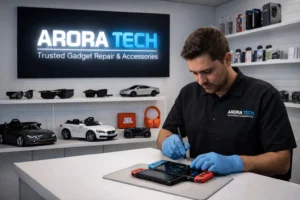
Step 1: Full Diagnostic
Technicians inspect:
- battery
- motherboard
- connectors
- display assembly
- internal shields
Step 2: Disassembly
Proper tools prevent contamination spread.
Step 3: Logic Board Treatment
Using:
- ultrasonic cleaners
- board-safe detergents
- micro-soldering stations
- corrosion removal solutions
Step 4: Component Testing
They test:
- charging
- touch screen
- audio
- sensors
- power IC integrity
Step 5: Final Assembly + Waterproof Seal Testing
Only then can a technician confirm whether the phone is fully restored.
Long-Term Effects of Hidden Water Damage
Even if your phone works today, hidden damage can cause problems such as:
- Weak battery life
- Ghost touches
- Random shutdowns
- Overheating
- Network issues
- Camera fogging
- Charging failure
These symptoms appear days or weeks after the incident.
That’s why Phone Water Damage Repair must include professional internal cleaning — not just drying.
Do’s & Don’ts After Water Exposure
Do’s
- Turn the phone off immediately
- Remove the case
- Dry the exterior
- Use a fan (not heat)
- Bring it to a technician ASAP
Don’ts
- Don’t use rice
- Don’t turn it on
- Don’t charge it
- Don’t shake it
- Don’t heat it
- Don’t open it
When DIY Is Safe — and When It’s Not
Safe DIY Steps
- Powering off
- Removing accessories
- Wiping external water
- Scheduling a repair
Not Safe
- Opening the phone
- Heating
- Charging the device
- Using chemicals
- Attempting DIY board cleaning
Why Phones in 2025 Are More Vulnerable to Water Damage
Even with IP ratings, modern phones have:
- thinner logic boards
- fragile ribbon cables
- high-density ICs
- weaker adhesive seals
IP ratings don’t protect against:
- soap
- saltwater
- hot water
- swimming pool chlorine
- pressure beyond specifications
This explains why Phone Water Damage Repair remains one of the most in-demand services nationwide.
How Arora Tech Quietly Excels at Water Damage Recovery
While the goal is not to brag, it’s important to mention how a qualified tech shop approaches repairs.
Arora Tech technicians use:
- controlled-frequency ultrasonic cleaning
- micro-soldering for power management ICs
- board-level corrosion removal
- seal restoration
- advanced diagnostic systems
Their location:
📍 Next to UGG’s, 100 Premium Outlets Dr Store #785, Gloucester Premium Outlets, Blackwood, NJ 08012, United States
📍 View on Google Maps
If you prefer starting online:
📝 Repair Form
Final Advice & Helpful Links
Phone Water Damage Repair must begin immediately to avoid permanent damage.
Avoid the common mistakes listed in this guide, act quickly, and get your device checked professionally.
Useful links:
- Home: https://techbyarora.com/
- About: https://techbyarora.com/about/
- Services: https://techbyarora.com/services/
- Contact: https://techbyarora.com/contact/
- Blog: https://techbyarora.com/blog/
Google profile:
🔗 Arora Tech Google Listing
Need help urgently?
📞 Call: tel:+18567236939
📧 Email: techbyarora@gmail.com

 by
by
One Response
Your article helped me a lot, is there any more related content? Thanks!