
Introduction: Why Laptop Fan Noise Is So Common in 2026
Laptop Fan Noise has become one of the most common—and irritating—complaints among laptop users in 2026. If your laptop suddenly sounds like a jet engine during a video call, spins loudly while doing simple tasks, or makes grinding or rattling noises, you’re not alone.
Within the first few moments of noticing Laptop Fan Noise, many people worry their laptop is about to fail completely. The good news? In many cases, loud fans are a warning sign, not a death sentence. Your laptop is trying to protect itself from overheating.
This guide is designed to help everyday users understand what causes Laptop Fan Noise, how to reduce it safely, and when ignoring it can lead to serious hardware damage.
What a Laptop Fan Actually Does
Before fixing Laptop Fan Noise, it helps to understand the fan’s role.
The Purpose of a Laptop Fan
- Moves heat away from CPU and GPU
- Prevents thermal throttling
- Protects internal components
- Maintains system stability
Modern laptops generate significant heat—even during basic tasks like browsing or streaming.
Why Laptop Fan Noise Gets Worse Over Time
Laptop fans don’t suddenly fail without reason.
Common Contributors
- Dust buildup
- Aging thermal paste
- Software inefficiencies
- Battery degradation
- Mechanical fan wear
In 2026, thinner laptops mean fans work harder than ever, making Laptop Fan Noise more noticeable.
Types of Laptop Fan Noise (And What They Mean)
Not all fan noises are the same.
1. Constant Loud Whirring
Usually caused by overheating or background processes.
2. Sudden Fan Bursts
Often linked to CPU spikes or software issues.
3. Grinding or Rattling
A serious sign of physical fan damage.
4. High-Pitched Whining
Can indicate bearing failure or coil whine.
Each type of Laptop Fan Noise points to a different underlying problem.
Common Causes of Laptop Fan Noise in 2026
Dust and Debris
Dust blocks airflow, forcing fans to spin faster.
Thermal Paste Breakdown
Old thermal paste reduces heat transfer efficiency.
Background Software Load
Apps running silently in the background increase CPU usage.
Malware or Crypto-Mining Scripts
Hidden processes can max out system resources.
Failing Fan Bearings
Mechanical wear causes loud, irregular noise.
Is Laptop Fan Noise Dangerous?
Not always—but sometimes.
When It’s Mostly Annoying
- Noise stops when load decreases
- Laptop performance remains stable
When It’s a Warning Sign
- Laptop overheats frequently
- System shuts down unexpectedly
- Fan makes grinding sounds
Ignoring severe Laptop Fan Noise can lead to CPU or motherboard damage.
Step 1: Immediate Things You Can Try at Home
Before seeking professional help, try these safe steps.
Clean External Vents
Use compressed air gently—never vacuum.
Improve Airflow
- Place laptop on hard surfaces
- Avoid beds or couches
Close Background Apps
Task Manager or Activity Monitor helps identify CPU hogs.
Step 2: Software Fixes That Reduce Laptop Fan Noise
Update Your Operating System
OS updates often improve fan control algorithms.
Adjust Power Settings
Use “Balanced” or “Power Saver” modes.
Check Startup Programs
Disable unnecessary startup apps.
Software optimization alone can reduce Laptop Fan Noise significantly.
Step 3: When Cleaning Internals Helps
Internal dust cleaning is one of the most effective fixes.
Benefits
- Lower temperatures
- Quieter fan operation
- Improved performance
Risks
Opening laptops without proper tools can damage cables or void warranties.
Professional cleaning is often safer.
Thermal Paste: The Overlooked Cause of Fan Noise
Thermal paste transfers heat from CPU to heatsink.
Signs Thermal Paste Has Failed
- Laptop runs hot constantly
- Fan runs at max speed
- CPU throttles performance
Replacing thermal paste often dramatically reduces Laptop Fan Noise.
Fan Replacement: When Noise Means Failure
If the fan itself is damaged, no amount of cleaning will help.
Signs a Fan Needs Replacement
- Grinding or clicking sounds
- Fan doesn’t spin smoothly
- Noise persists even when cool
Fan replacement restores quiet operation—but requires precision.
Why DIY Fan Replacement Is Risky
Modern laptops are tightly packed.
Common DIY Mistakes
- Damaging ribbon cables
- Improper reassembly
- Incorrect fan model installation
Professional Laptop Fan Noise repair ensures proper airflow and long-term reliability.
Gaming Laptops and Laptop Fan Noise
Gaming laptops are especially prone to loud fans.
Why
- High-performance GPUs
- Compact cooling systems
Some noise is normal—but excessive noise isn’t.
MacBooks vs Windows Laptops: Fan Noise Differences
MacBooks
- Aggressive thermal management
- Quieter under light load
Windows Laptops
- More variation by brand
- Software plays a bigger role
Both platforms experience Laptop Fan Noise, just differently.
Battery Health and Fan Noise
Failing batteries generate extra heat.
Symptoms
- Swollen battery
- Laptop runs hot even idle
Battery replacement often reduces Laptop Fan Noise indirectly.
Environmental Factors That Increase Fan Noise
- Hot rooms
- Direct sunlight
- Poor airflow
Even healthy laptops get louder under bad conditions.
How Often Should Fans Be Cleaned?
Recommended schedule:
- Every 6–12 months for heavy use
- Every 12–18 months for light use
Regular maintenance prevents excessive Laptop Fan Noise.
Signs You Should Stop Using the Laptop Immediately
- Burning smell
- Loud grinding noise
- Sudden shutdowns
These indicate urgent hardware issues.
When Professional Help Makes Sense
Professional repair helps when:
- Noise persists after cleaning
- Fan is physically damaged
- Laptop overheats regularly
A Convenient Local Option for Laptop Fan Issues
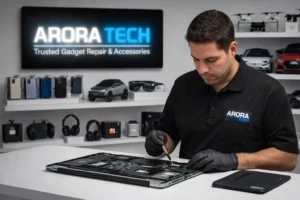
For shoppers and residents near Gloucester Premium Outlets, local electronics repair is often the easiest solution.
📍 Store Address:
Next to UGG’s, 100 Premium Outlets Dr Store #785, Gloucester Premium Outlets, Blackwood, NJ 08012, United States
Many customers handle Laptop Fan Noise issues while running errands—saving time and avoiding shipping delays.
Preventing Laptop Fan Noise Long-Term
Best Practices
- Keep vents clean
- Replace thermal paste every few years
- Monitor temperatures
- Avoid extreme heat
Prevention reduces repair costs significantly.
Need Help Quieting Your Laptop Fan?
📞 Call Now:
+1 856-723-6939
📧 Email:
techbyarora@gmail.com
🛠 Repair Request Form:
Submit a Repair Form
Helpful Internal Pages
Final Thoughts: Laptop Fan Noise Is a Message—Not Just an Annoyance
In 2026, Laptop Fan Noise is your laptop’s way of communicating stress. Listening early can prevent expensive failures later.
With proper maintenance, timely repairs, and professional diagnostics when needed, loud fans don’t have to mean the end of your device.
🔍 See local reviews and information:
Arora Tech New Jersey on Google






 by
by