
Introduction: Why Laptop Overheating Is a Bigger Problem in 2026
Laptop Overheating has become one of the most common—and most dangerous—issues facing computer users in 2026. Within the first few minutes of using an overheating laptop, you may notice loud fan noise, sluggish performance, sudden freezes, or even unexpected shutdowns. These symptoms are more than just annoying—they are warning signs of serious internal stress.
Modern laptops are thinner, lighter, and more powerful than ever. High-performance CPUs, dedicated GPUs, ultra-slim designs, and always-on background processes push thermal systems to their limits. As a result, Laptop Overheating now affects students, professionals, gamers, remote workers, and business owners alike.
This guide is designed for everyday users—not engineers. Whether you use a Windows laptop or a MacBook, this article will help you:
- Understand why laptops overheat
- Recognize early warning signs
- Apply 12 effective fixes safely
- Prevent long-term damage
- Know when professional repair is necessary
Our goal is simple: help you keep your laptop cool, reliable, and long-lasting.
What Happens When a Laptop Overheats?
Before diving into fixes, it’s important to understand what overheating actually does to your device.
When Laptop Overheating occurs:
- The CPU and GPU throttle performance to reduce heat
- Fans spin faster, increasing noise and wear
- Battery health degrades faster
- Internal components expand and contract
- Solder joints weaken over time
If overheating continues unchecked, it can lead to permanent motherboard damage, SSD failure, or total system shutdown.
Common Signs of Laptop Overheating
Many users ignore early symptoms until damage is done.
Warning Signs
- Laptop feels hot to the touch
- Fans constantly running at full speed
- Sudden shutdowns during use
- Sluggish performance
- Keyboard becoming uncomfortably warm
- System freezes or crashes
If you experience multiple symptoms, Laptop Overheating is almost certainly the cause.
Why Laptop Overheating Is Worse in 2026
Several modern trends contribute to rising heat issues.
Key Factors
- Thinner laptop designs with limited airflow
- More powerful processors in compact frames
- Increased reliance on cloud syncing and background apps
- Aging thermal paste in older systems
- Dust accumulation from years of use
As laptops age, their cooling efficiency declines—even if performance demands increase.
The 12 Most Effective Fixes for Laptop Overheating in 2026
Let’s walk through the most reliable solutions, starting with the simplest.
Fix #1: Improve Airflow Immediately
One of the easiest ways to reduce Laptop Overheating is improving airflow.
✔ Place your laptop on a hard, flat surface
✘ Avoid beds, couches, or laps that block vents
Blocked vents trap heat and force fans to work harder.
Fix #2: Clean External Vents Regularly
Dust buildup restricts airflow.
Use:
- A soft brush
- A microfiber cloth
Avoid:
- Blowing into vents
- Using household vacuums directly on ports
Regular cleaning helps prevent long-term Laptop Overheating.
Fix #3: Reduce Background Processes
Modern operating systems run many background apps.
Check:
- Startup programs
- Cloud sync services
- Browser tabs
Reducing background load lowers CPU usage and heat output.
Fix #4: Update Your Operating System & Drivers
Software inefficiencies cause unnecessary heat.
Updates often include:
- Improved power management
- Better thermal controls
- Bug fixes
Outdated systems are a hidden cause of Laptop Overheating.
Fix #5: Adjust Power Settings
High-performance modes push hardware harder.
Switch to:
- Balanced or power-saving modes
- Lower maximum CPU usage (advanced settings)
This single change can significantly reduce heat.
Fix #6: Avoid Charging During Heavy Use
Charging generates additional heat.
If possible:
- Unplug during gaming or heavy tasks
- Let the battery cool before charging
This reduces combined thermal stress.
Fix #7: Elevate the Laptop Slightly
Even a small lift improves airflow.
Options:
- Laptop stand
- Cooling pad
- Simple riser
Elevation alone can reduce Laptop Overheating by several degrees.
Fix #8: Replace Old Thermal Paste (Advanced)
Thermal paste dries out over time.
After 3–5 years:
- Heat transfer efficiency drops
- Temperatures rise rapidly
Replacing thermal paste often restores original cooling performance—but this should be done professionally.
Fix #9: Clean Internal Dust (Professional Recommended)
Internal dust buildup is one of the biggest causes of Laptop Overheating.
Dust clogs:
- Fans
- Heat sinks
- Exhaust channels
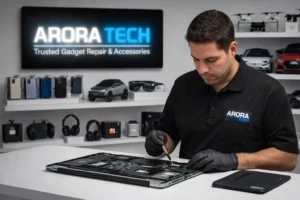
Internal cleaning requires disassembly and proper tools.
Fix #10: Monitor Temperatures
Use system tools to check:
- CPU temperature
- GPU temperature
Consistently high readings indicate a cooling problem that needs attention.
Fix #11: Replace Aging Batteries
A failing battery generates excess heat.
Signs include:
- Rapid draining
- Swelling
- Heat near palm rest
Battery issues often worsen Laptop Overheating.
Fix #12: Seek Professional Diagnostics
If overheating persists despite these steps, professional evaluation is essential.
Experts can:
- Test thermal performance
- Replace failing fans
- Reapply thermal compounds
- Identify hidden motherboard issues
What NOT to Do When Your Laptop Overheats
Many well-intentioned actions make things worse.
❌ Blocking vents intentionally
❌ Using compressed air aggressively
❌ Running laptops in hot cars
❌ Opening the laptop without experience
❌ Ignoring shutdown warnings
Avoiding these mistakes prevents permanent damage.
How Laptop Overheating Affects Performance
Thermal throttling reduces:
- Processing speed
- Gaming performance
- Multitasking capability
You may think your laptop is “slow,” when in reality it’s protecting itself from heat damage.
Laptop Overheating and Long-Term Damage
Chronic overheating shortens lifespan by:
- Weakening solder joints
- Damaging SSDs
- Degrading batteries
- Warping internal components
Preventing Laptop Overheating protects your investment.
When DIY Fixes Aren’t Enough
You should seek professional help if:
- Laptop shuts down repeatedly
- Fan makes grinding noises
- System overheats during light use
- Performance drops suddenly
- Battery shows swelling
Ignoring these signs often leads to costly repairs.
A Helpful Local Repair Option in New Jersey
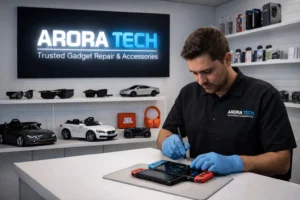
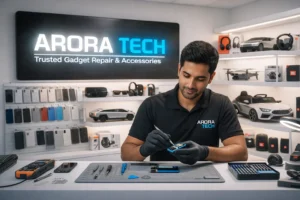
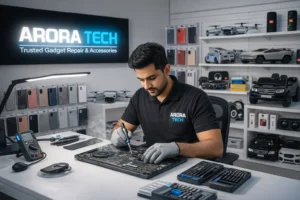
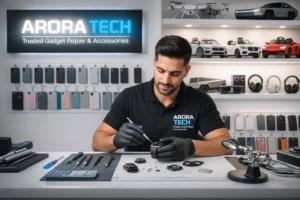
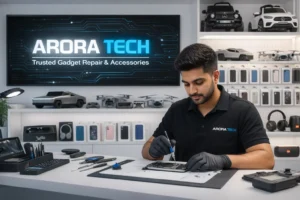
For those visiting or shopping at Gloucester Premium Outlets, many customers rely on a nearby tech repair store for laptop diagnostics, internal cleaning, and thermal repair—without pressure or unnecessary upselling.
📍 Store Address:
Next to UGG’s, 100 Premium Outlets Dr Store #785, Gloucester Premium Outlets, Blackwood, NJ 08012, United States
Many people stop in while shopping to have overheating laptops checked quickly and safely.
Typical Laptop Overheating Repair Costs in 2026
Approximate ranges:
- Internal cleaning: $60–$120
- Thermal paste replacement: $90–$180
- Fan replacement: $80–$200
- Battery replacement: $70–$150
Early intervention is always cheaper than motherboard replacement.
Preventing Laptop Overheating Long-Term
Best Practices
- Clean vents every few months
- Avoid prolonged high-load sessions
- Keep software updated
- Replace batteries when needed
- Schedule periodic professional cleanings
Prevention is the most reliable solution to Laptop Overheating.
Repair vs Replacement: What Makes Sense?
Repair If:
- Laptop is under 6 years old
- Performance improves after cooling fixes
- Cost is reasonable
Replace If:
- Motherboard damage exists
- Severe liquid damage occurred
- Repairs exceed laptop value
Get Help or Ask Questions
If your laptop runs hot, shuts down, or slows unexpectedly:
📞 Call Now:
+1 856-723-6939
📧 Email:
techbyarora@gmail.com
🛠 Repair Request Form:
Submit Repair Form
Helpful Internal Pages
Final Thoughts: Laptop Overheating Is Preventable
In 2026, Laptop Overheating is one of the most preventable causes of computer failure. With proper airflow, maintenance, and timely repair, most laptops can run cooler, quieter, and faster for years.
Recognizing the warning signs early and taking action protects your data, your hardware, and your productivity.
For New Jersey users, having access to reliable local tech repair support makes solving overheating problems far less stressful.
🔍 Find local reviews and information here:
Arora Tech New Jersey on Google

 by
by