
Introduction: Why Fitbit Repair Matters More Than You Think
For millions of users, a Fitbit isn’t just a gadget — it’s a lifestyle companion that tracks workouts, sleep, heart rate, and even stress levels. But when syncing issues strike, your health data becomes unreliable or, worse, lost entirely. That’s when expert Fitbit Repair becomes essential.
Fitbit syncing problems can stem from anything — a small software glitch, a Bluetooth issue, or internal hardware damage. While some issues can be fixed at home, others require professional diagnosis to restore your device fully. At Arora Tech, we’ve helped countless customers who were ready to throw their Fitbits away — only to have them working perfectly again after a quick repair.
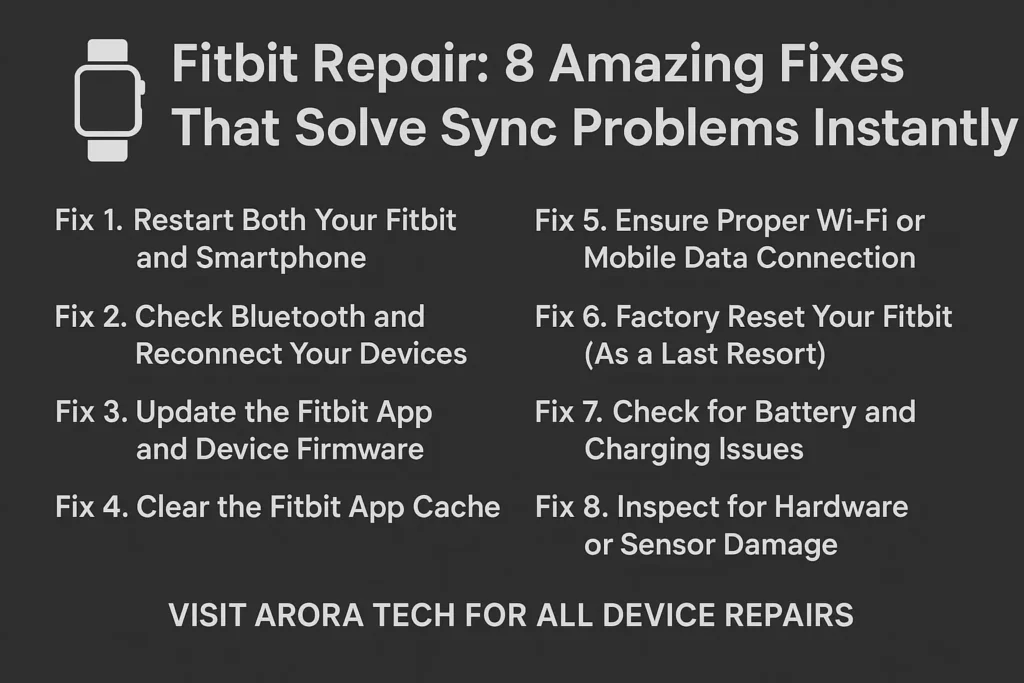
In this post, we’ll walk you through 8 amazing fixes that solve sync problems instantly, along with when and why you should bring your device to professionals for Fitbit Repair.
1. Restart Both Your Fitbit and Smartphone
Sometimes, the simplest fix is the most powerful. Restarting both devices can clear temporary software bugs or Bluetooth glitches that prevent syncing.
Here’s How to Restart Your Fitbit:
- Go to your Fitbit settings.
- Choose “Restart Device.”
- Hold the button until the logo appears.
- Let it reboot and reconnect to your phone.
Then, restart your smartphone as well to clear any connection issues. After rebooting, open the Fitbit app and check if the sync completes successfully.
If restarting doesn’t solve the issue, it might indicate deeper internal lag or firmware corruption — a sign that you may need professional Fitbit Repair.
2. Check Bluetooth and Reconnect Your Devices
Syncing depends entirely on a strong Bluetooth connection. If Bluetooth isn’t functioning properly, your Fitbit won’t communicate with your phone.
Steps to Fix It:
- Turn Bluetooth off and back on.
- Forget your Fitbit device from your phone’s Bluetooth list.
- Re-pair it through the Fitbit app.
Still can’t connect? This could be caused by a damaged Bluetooth chip inside your Fitbit — one of the most common issues we see at Arora Tech. Our Fitbit Repair specialists can replace faulty components and reestablish full wireless connectivity quickly.
👉 Need help now? Submit your issue using our Repair Form.
3. Update the Fitbit App and Device Firmware
Outdated software can prevent syncing between your Fitbit and smartphone. Make sure both your Fitbit device and the Fitbit app are updated to the latest version.
How to Update:
- For the app: Visit the App Store or Google Play → Search “Fitbit” → Tap “Update.”
- For your Fitbit: Use the Fitbit app → Tap your profile icon → Select your device → Tap “Update Available.”
If your device won’t update, it might have firmware corruption — a problem best handled through professional Fitbit Repair at Arora Tech, where we use advanced tools to reinstall software safely and preserve your data.
4. Clear the Fitbit App Cache
A cluttered cache can slow down app performance and block synchronization.
To Clear Cache on Android:
- Go to Settings → Apps → Fitbit.
- Tap “Storage.”
- Select “Clear Cache.”
On iPhone:
Uninstall and reinstall the Fitbit app — this resets corrupted data that can interfere with syncing.
If clearing the cache still doesn’t solve it, your Fitbit’s internal memory might be full or faulty — something our Fitbit Repair experts can diagnose and correct by refreshing the internal data partitions.
5. Ensure Proper Wi-Fi or Mobile Data Connection
If your smartphone’s internet connection is unstable, syncing with the Fitbit servers may fail. Make sure you’re on a stable Wi-Fi or mobile network with strong signal strength.
You can also try switching networks or turning on airplane mode briefly, then turning it off again.
Still having issues? This might not be your phone — it could be your Fitbit’s internal Wi-Fi antenna. Fitbit Repair can restore lost network functionality by replacing or re-soldering the faulty antenna chip.
6. Factory Reset Your Fitbit (As a Last Resort)
If nothing else works, try resetting your Fitbit to factory settings. This clears out system errors that prevent syncing but also erases all stored data.
How to Reset:
- Go to Settings → About → Factory Reset.
- Confirm your choice.
- Set up your device again via the Fitbit app.
If your Fitbit refuses to reset or keeps rebooting mid-process, it likely needs internal service. Our Fitbit Repair team at Arora Tech specializes in firmware recovery and deep-level system repairs that restore full functionality without data loss when possible.
7. Check for Battery and Charging Issues
Many syncing issues actually start with low or unstable power. If your Fitbit battery is weak or charging inconsistently, it won’t stay connected to your phone for long.
Watch for Signs Like:
- Battery drains within hours
- Device turns off randomly
- Fitbit won’t charge past a certain percentage
At Arora Tech, we provide Fitbit Repair that includes battery diagnostics, charging port replacement, and power recalibration. By restoring your device’s battery health, syncing problems often disappear instantly.
8. Inspect for Hardware or Sensor Damage
After accidental drops or water exposure, your Fitbit might appear fine but have hidden internal damage — particularly around the Bluetooth or sensor modules.
Common Hardware Issues We See:
- Moisture corrosion on circuits
- Cracked mainboard solder joints
- Disconnected antenna cables
These problems can’t be fixed through simple settings changes. That’s when Fitbit Repair at a professional service center like Arora Tech becomes critical. We open your device, inspect it under precision tools, and replace or re-solder damaged components. After repair, most Fitbits return to perfect syncing and sensor performance.
When Should You Visit a Fitbit Repair Professional?
If you’ve tried all 8 fixes above and your device still won’t sync, it’s time to bring it in for expert evaluation. Delaying Fitbit Repair can lead to further internal damage, battery leaks, or data loss.
At Arora Tech, our repair specialists can:
- Perform a detailed hardware diagnosis
- Repair or replace faulty sensors and chips
- Reinstall software safely
- Test all connections before handing your device back
We pride ourselves on quick turnaround times, transparent pricing, and lasting results.
Why Fitbit Repair Beats Buying a New Device
Buying a new Fitbit may sound convenient, but it’s often unnecessary — and expensive. A proper Fitbit Repair can cost a fraction of replacement and restore the same performance.
Advantages of Repair Over Replacement:
- Save money
- Preserve your original health data
- Reduce electronic waste
- Enjoy a warranty-backed fix
At Arora Tech, we believe in sustainability and practicality. Most customers are surprised to find their “dead” Fitbit working like new after a 1-hour repair session.
Fitbit Repair Process at Arora Tech
Wondering how your device is handled? Here’s what you can expect when you visit our store for Fitbit Repair:
- Diagnosis: We evaluate your Fitbit for hardware, battery, and connectivity faults.
- Quotation: We provide a clear, no-obligation cost estimate.
- Repair: Our experts perform precise, model-specific repairs using quality tools and components.
- Testing: Every device undergoes functionality checks — battery life, syncing, app connection, and sensor accuracy.
- Pickup or Delivery: You get your Fitbit back clean, repaired, and ready for daily use.
Our focus is on transparency and trust. That’s why locals across New Jersey rely on Arora Tech for their smartwatch, phone, and gadget repairs.
Common Fitbit Models We Repair
Our Fitbit Repair services cover all major models, including:
- Fitbit Versa, Versa 2, Versa 3, and Versa 4
- Fitbit Sense and Sense 2
- Fitbit Charge series (Charge 3, 4, 5, 6)
- Fitbit Inspire and Luxe
- Fitbit Ionic and older models
Whether it’s a software bug or a hardware issue, we’ve seen it — and fixed it.
Signs You Shouldn’t Ignore Fitbit Sync Problems
If your Fitbit:
- Stops showing updated steps or heart rate
- Constantly disconnects from your phone
- Takes forever to sync
- Shows outdated data even after charging
Then it’s time to act. Ignoring these signs could lead to total system failure or corrupted fitness data. A timely Fitbit Repair can prevent costly damage and keep your tracker accurate and reliable.
Arora Tech: Your Local Fitbit Repair Experts
Located conveniently at Gloucester Premium Outlets, Arora Tech is New Jersey’s trusted destination for fast, affordable device repairs.
📍 Address:
Next to UGG’s, 100 Premium Outlets Dr Store #785, Gloucester Premium Outlets, Blackwood, NJ 08012, United States
View on Google Maps
📞 Call Now — +1 856-723-6939
📧 Email Us — techbyarora@gmail.com
Need help immediately? Use our Repair Form to book your Fitbit Repair appointment in seconds.
Also, visit our Services Page or check out more repair guides on our Blog.
The Hidden Cost of Ignoring Fitbit Sync Problems
Ignoring minor issues can lead to major expenses later. For example:
- A weak battery can swell and damage your screen.
- Unfixed moisture can corrode internal circuits.
- Constant Bluetooth dropouts can ruin the motherboard.
Professional Fitbit Repair prevents these cascading problems — saving your device, data, and wallet.
Eco-Friendly Impact of Fitbit Repair
Every time you choose Fitbit Repair instead of replacement, you’re making an environmentally conscious decision. Each repair reduces e-waste, lowers carbon emissions, and helps sustain valuable resources.
At Arora Tech, we responsibly recycle worn-out parts and use eco-friendly repair practices. Your device repair is good for you — and for the planet.
Customer Story: “I Thought My Fitbit Was Done For”
One customer brought in a Fitbit Versa 3 that hadn’t synced for months. It wouldn’t update, wouldn’t charge properly, and was showing the wrong time. After diagnosis, our Fitbit Repair team discovered internal moisture damage affecting the Bluetooth chip.
Within two hours, the chip was replaced, software restored, and the watch synced instantly. The customer walked out thrilled — no replacement needed.
That’s what professional repair is all about: restoring trust in the tech you already own.
Final Thoughts: Sync Problems Don’t Mean It’s Over
Sync problems can make your Fitbit feel useless — but with the right expertise, they’re 100% fixable. Whether it’s a quick restart or a full hardware restoration, expert Fitbit Repair ensures you stay connected to your fitness goals.
At Arora Tech, we help you get back on track — literally. Our commitment to precision, honesty, and care sets us apart. If your Fitbit won’t sync or charge, don’t replace it — repair it.
👉 Visit our Google Profile to learn more, or bring your device to our Gloucester store today.






3 Responses
Your article helped me a lot, is there any more related content? Thanks!
Thanks for sharing. I read many of your blog posts, cool, your blog is very good.
Your article helped me a lot, is there any more related content? Thanks! Buat Akun di Binance