
Introduction: The Shocking Truth About Apple Watch Screens
If you own an Apple Watch, you already know it’s more than just a timepiece — it’s a smart extension of your lifestyle. But even the most advanced technology isn’t invincible. Despite Apple’s sleek designs and premium materials, one wrong move can shatter that beautiful display. That’s where professional Apple Watch Repair becomes essential.
Every week, people walk into repair shops with cracked screens, unresponsive touch sensors, or internal display damage that could have been easily avoided. The truth is, most Apple Watch screen damage comes from small, everyday mistakes users don’t even realize they’re making.
In this blog, we’ll expose 7 shocking mistakes that cause your Apple Watch screen to break faster than you expect — and how you can avoid them. We’ll also discuss when it’s time to seek Apple Watch Repair from trusted professionals like Arora Tech, located conveniently at Next to UGG’s, 100 Premium Outlets Dr Store #785, Gloucester Premium Outlets, Blackwood, NJ 08012, United States (Google Maps link).
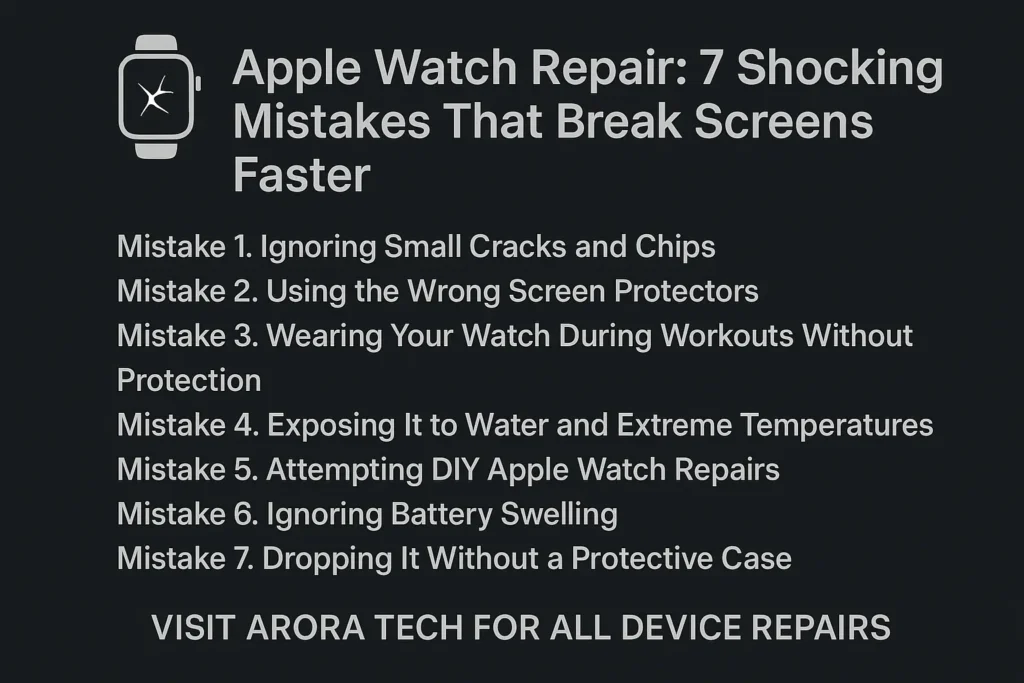
1. Ignoring Small Cracks and Chips
The first mistake people make is brushing off small cracks as “no big deal.” In reality, even a hairline crack weakens your Apple Watch’s structure. Over time, it spreads due to wrist movements and temperature changes.
When left untreated, those tiny cracks expose your screen to moisture, dust, and oil, causing deeper internal damage that can lead to display failure.
👉 Pro Tip: Visit a professional Apple Watch Repair service as soon as you notice any crack or discoloration. Early intervention can save you from a full screen replacement.
2. Using the Wrong Screen Protectors
Not all screen protectors are created equal. Many cheap ones don’t align properly or provide real shock absorption. Some even peel off easily, offering a false sense of protection.
If you’ve ever dropped your Apple Watch with a low-quality protector on, you probably noticed it didn’t help much. Worse, residue from bad adhesives can damage your screen’s oleophobic coating.
Solution: Use high-quality tempered glass or hydrogel protectors specifically designed for your Apple Watch model. For installation help, you can consult experts at Arora Tech’s Services page. They can ensure your watch is fitted with the right protection. You can contact us through the repair form for your Apple Watch Repair needs.
3. Wearing Your Watch During Workouts Without Protection
Apple Watches are great for tracking workouts, but many people wear them during intense gym sessions, construction work, or outdoor activities without any added protection. One accidental bump on gym equipment or a hard surface can instantly crack the screen.
Why It Happens: The glass, though durable, isn’t designed to withstand constant impact or friction. Sweat and heat also weaken adhesive seals over time.
Fix: Use a protective case during workouts. And if your watch has already suffered impact damage, don’t wait — schedule an Apple Watch Repair via the repair form on Arora Tech’s website.
4. Exposing It to Water and Extreme Temperatures
While newer Apple Watch models boast “water resistance,” that doesn’t mean they’re waterproof. Hot showers, saunas, or extended swimming sessions can all cause internal condensation. Similarly, leaving your watch in a hot car or near direct sunlight accelerates screen wear.
The Consequence: Rapid temperature changes cause the glass and internal components to expand or contract, creating stress points that lead to cracking.
To avoid these issues, remove your watch in extreme conditions — and if you notice condensation or flickering, seek Apple Watch Repair before corrosion spreads to the logic board.
5. Attempting DIY Apple Watch Repairs
Many tech enthusiasts turn to YouTube for do-it-yourself fixes. While that might work for some devices, Apple Watch Repair is far more complex. The screens are tightly sealed, and the components are fragile.
One wrong move — like applying too much heat or using a prying tool incorrectly — can destroy the display or damage the battery.
Why Professional Help Matters: At Arora Tech, technicians use precise tools and certified parts to ensure your watch is restored safely and efficiently. It’s not just about fixing a screen — it’s about preserving your watch’s long-term health.
6. Ignoring Battery Swelling
Battery swelling is a silent killer. When your watch battery starts to expand, it pushes against the screen from the inside, eventually causing it to lift or crack.
You’ll notice the edges of your screen lifting slightly, or your watch won’t sit flush against your wrist anymore.
If this happens, don’t delay — bring your device in for Apple Watch Repair. Replacing the battery before it damages the screen can save you hundreds in repair costs.
You can easily book a battery inspection via the contact page.
7. Dropping It Without a Protective Case
The most obvious (yet most common) mistake: wearing your Apple Watch without a case. Even a minor drop onto a tile or concrete surface can crack the sapphire or Ion-X glass instantly.
Apple Watch screens are beautiful, but they’re also exposed — sitting right on your wrist, vulnerable to gravity and impact.
Simple Fix: Use a slim shock-absorbent case that doesn’t interfere with your sensors. It may slightly alter the look, but it can prevent 90% of accidental screen damage.
And if you’ve already had a mishap? Don’t worry — Apple Watch Repair specialists at Arora Tech can restore your device to its original form with genuine parts and precise calibration.
When Should You Seek Professional Apple Watch Repair?
Here are some red flags that mean it’s time to seek expert help:
- Flickering or dim screen brightness
- Cracks that spread quickly
- Touch not responding properly
- Lifting glass near the edges
- Water spots under the display
Delaying repairs can lead to deeper internal damage, making fixes more costly later.
You can reach out to Arora Tech directly for a quick diagnosis:
📞 Call Now
✉️ Email Us
Why Choose Arora Tech for Apple Watch Repair?
At Arora Tech, we specialize in device repairs that last. Whether it’s an iPhone, MacBook, or smartwatch, every repair is handled with precision and care. Our Gloucester Premium Outlets store provides same-day Apple Watch Repair for most screen and battery issues.
What Makes Us Different:
- Genuine replacement parts for Apple devices
- Experienced technicians with years of hands-on expertise
- Transparent pricing — no hidden costs
- Convenient location: Next to UGG’s, 100 Premium Outlets Dr Store #785, Gloucester Premium Outlets, Blackwood, NJ 08012, United States
We’ve helped hundreds of Apple Watch users in New Jersey restore their devices and get back to their routines seamlessly.
To learn more about all our services, visit Arora Tech’s Services page or explore our Blog for helpful tech insights.
How to Prevent Future Apple Watch Screen Damage
Let’s face it — prevention is always better than repair. Here’s how you can keep your Apple Watch screen intact:
- Use both a case and a screen protector.
- Remove your watch during manual work or sports.
- Clean your watch regularly with a soft, lint-free cloth.
- Avoid temperature extremes and steam exposure.
- Get your watch serviced yearly to check for battery or seal issues.
When cared for properly, your Apple Watch can last for years without a single scratch or glitch.
Conclusion: Protect Your Watch Before It’s Too Late
Your Apple Watch is a reflection of your daily life — fitness, productivity, and style. But one careless mistake can turn it from a fashion statement into a costly headache. Understanding and avoiding these 7 shocking mistakes can help you prevent unnecessary damage.
Still, if your device is already showing signs of trouble, don’t panic. Visit Arora Tech for trusted, efficient Apple Watch Repair services in Gloucester, New Jersey. Our expert technicians can diagnose and fix most problems on the same day, ensuring your smartwatch runs like new again.
For walk-ins or inquiries, visit us at:
📍 Next to UGG’s, 100 Premium Outlets Dr Store #785, Gloucester Premium Outlets, Blackwood, NJ 08012, United States
📞 Call Now
✉️ Email Us
Or fill out our easy Repair Request Form to get started today.
For more tech guides and updates, check out our Google Business Profile.






2 Responses
I don’t think the title of your article matches the content lol. Just kidding, mainly because I had some doubts after reading the article.
Thank you for your sharing. I am worried that I lack creative ideas. It is your article that makes me full of hope. Thank you. But, I have a question, can you help me?