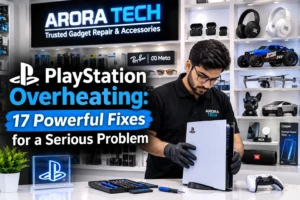
Introduction: Why Does Your PlayStation Keep Overheating?
A PlayStation console is designed to handle demanding games, high-resolution graphics, online multiplayer, streaming, and long gaming sessions. However, all of that processing power generates heat. Under normal conditions, the console’s cooling system moves that heat away from important internal components and releases it through the ventilation system.
The trouble starts when PlayStation overheating becomes frequent or severe.
You may notice that your console fan suddenly becomes much louder. The system might feel extremely warm to the touch, games may begin stuttering, or the console could turn itself off without warning. In some situations, you may even see an on-screen temperature warning.
Occasional warmth is normal. A gaming console does not need to remain cold while it is operating. However, excessive heat combined with unusual fan behavior, performance problems, warnings, or unexpected shutdowns deserves attention.
The good news is that overheating does not automatically mean your PlayStation needs expensive repairs. Sometimes the cause is surprisingly simple: poor ventilation, accumulated dust, an enclosed entertainment cabinet, blocked air vents, a hot room, or several hours of continuous gaming.
Other situations can be more complicated. A failing fan, restricted internal airflow, dried thermal material, power-related problems, or an internal hardware fault may require professional attention.
This guide walks through the most common causes of PlayStation overheating, practical things you can check yourself, and the signs that indicate it is time to have the console professionally inspected.
If you use your PlayStation regularly, understanding how heat affects it can help you protect the console and potentially prevent a minor cooling problem from becoming a much larger hardware issue.
1. What Actually Causes PlayStation Overheating?
Before trying random fixes, it helps to understand where the heat comes from.
Your PlayStation contains several components that generate heat while operating. The processor and graphics hardware work particularly hard when you play visually demanding games. The more computational work the console performs, the more heat it needs to dissipate.
The cooling system is responsible for moving that heat away.
Depending on the console model, the cooling system uses a combination of:
- Internal fans
- Heat sinks
- Thermal interface materials
- Air channels
- Exhaust vents
- Intake openings
- Internal airflow pathways
When these systems work properly, warm air is moved away from heat-generating components and cooler surrounding air is brought into the system.
PlayStation overheating happens when the amount of heat being generated exceeds the console’s ability to remove it.
That can happen for several different reasons.
For example, imagine a PS5 sitting inside a tightly enclosed TV cabinet. The console may be able to push hot air out, but if there is nowhere for that hot air to go, the area surrounding the console gradually becomes warmer.
The cooling system then has to work harder.
Now add several hours of gaming, a dusty environment, and restricted airflow. The situation can become considerably worse.
This is why overheating is not always caused by a single defective component. Often, several small factors combine to create a significant thermal problem.
2. Your PlayStation May Be Too Close to a Wall
One of the easiest causes of PlayStation overheating to overlook is poor console placement.
Your PlayStation needs sufficient space around its ventilation areas. If the back or sides of the console are pressed directly against a wall, furniture, or another electronic device, airflow can become restricted.
The console needs to move air through its cooling system efficiently.
If warm exhaust air cannot escape, it can remain trapped around the console.
Try positioning the PlayStation in an open area with adequate clearance around its ventilation openings. Avoid placing it directly inside a cramped shelf or tightly enclosed cabinet.
Also consider what is sitting next to it.
A television, receiver, sound system, computer, or other electronic device may produce additional heat. When several heat-generating devices are packed together, the surrounding temperature can rise significantly.
Moving the PlayStation to a more open location can sometimes make a noticeable difference without requiring any repair.
3. Check Whether the Air Vents Are Blocked
Another common cause of PlayStation overheating is blocked ventilation.
Dust, pet hair, lint, and other particles can accumulate around ventilation openings. Depending on the environment, this buildup can happen surprisingly quickly.
Look carefully at the console’s external ventilation areas.
Do not simply inspect the front. Examine the relevant intake and exhaust areas around the entire console.
If you see visible dust buildup, clean the exterior carefully.
Avoid using excessive force or inserting objects deep into the console’s ventilation openings. You do not want to accidentally damage internal components.
A soft, appropriate cleaning method can help remove loose dust from accessible areas.
However, external cleaning has limitations.
If the problem is caused by significant dust accumulation deeper inside the console, simply wiping the outside may not solve it.
That is one reason persistent PlayStation overheating should not always be treated as a surface-cleaning problem.
4. Give Your PlayStation Enough Breathing Room
Think of your PlayStation like a person exercising.
A person running in a cool, open environment can release body heat more easily than someone exercising in a tiny, poorly ventilated room.
Your console works similarly.
Even if the ventilation openings are technically unobstructed, surrounding the system with books, boxes, furniture, or other equipment can interfere with heat dissipation.
Avoid stacking objects directly around the console.
If your PlayStation is inside furniture, consider whether the furniture allows hot air to escape efficiently.
A particularly important question is:
Where does the hot air go after leaving the console?
If the answer is “nowhere,” the cooling environment may be part of the problem.
Improving airflow around the console is one of the simplest ways to address mild PlayStation overheating.
5. Gaming for Many Hours Can Increase Heat
Long gaming sessions do not automatically mean something is wrong with your PlayStation.
Modern consoles are built for extended use.
However, continuous high-performance gaming naturally produces more heat than light activities such as navigating menus or watching certain types of content.
Games with demanding graphics can place significant workloads on the console’s processor and graphics hardware.
If your room is already warm and the console is poorly ventilated, several hours of intensive gaming can push the system’s cooling requirements much higher.
If you notice PlayStation overheating after particularly long sessions, try giving the console a break and allowing the surrounding area to cool.
This is especially useful during hot weather.
A short break does not repair a hardware fault, but it can help determine whether the problem is primarily related to environmental temperature and extended workload.
6. Room Temperature Matters More Than You Might Think
Your PlayStation does not operate in isolation.
The temperature of the room affects the temperature of the air entering the console.
If your gaming area is already hot, the cooling system has less temperature difference available to remove heat effectively.
For example, a console operating in a cool, well-ventilated room has a better environment for dissipating heat than one operating in a hot room with limited airflow.
This does not mean you need to turn your home into a refrigerator.
Instead, focus on reasonable ventilation and comfortable room temperatures.
Avoid placing your PlayStation in direct sunlight.
Do not place it next to a heater.
Avoid enclosed spaces that become unusually hot.
And remember that a console placed inside a cabinet can experience a much higher local temperature than the rest of the room.
These environmental factors can contribute to recurring PlayStation overheating.
7. A Loud Fan Is an Important Warning Sign
One of the most noticeable symptoms of PlayStation overheating is unusually loud fan activity.
The cooling fan is designed to increase airflow when the system becomes warmer.
Therefore, hearing the fan during demanding games is not automatically a problem.
The important thing is a change from normal behavior.
If your console suddenly sounds significantly louder than it used to, stays extremely loud for long periods, or appears to be struggling to control its temperature, investigate further.
Possible explanations include:
- Increased workload
- Dust accumulation
- Poor ventilation
- High room temperature
- Restricted airflow
- Fan wear
- Internal cooling problems
A loud fan does not identify the exact fault by itself.
It is a symptom rather than a diagnosis.
If your PlayStation remains unusually loud despite having plenty of ventilation and a reasonably cool environment, professional inspection may be appropriate.
8. Do Not Ignore Temperature Warnings
If your PlayStation displays a temperature warning, take it seriously.
The warning is designed to tell you that the system has detected a potentially unsafe operating temperature.
Continuing to play immediately after receiving a temperature warning is generally not a good idea.
Save your progress if possible and follow the console’s instructions.
Allow the system to cool down.
Then check:
- Is the console surrounded by enough open space?
- Are ventilation openings visibly dusty?
- Is the room unusually warm?
- Is the console inside a confined cabinet?
- Is another heat-producing device positioned directly beside it?
- Does the fan behave unusually?
- Does the warning return after cooling?
If the warning repeatedly returns, the issue deserves further investigation.
Repeated PlayStation overheating is different from a one-time temperature spike caused by unusual environmental conditions.
9. Your PlayStation’s Internal Cooling System Can Become Dirty
External dust is easy to see.
Internal dust is not.
Over time, dust and debris can accumulate inside electronic equipment. Gaming consoles are particularly exposed because they actively pull air through their cooling system.
Eventually, dust can interfere with airflow and reduce cooling efficiency.
A dirty internal cooling system can contribute to PlayStation overheating, particularly if the console is used frequently in a dusty environment.
This is where caution becomes important.
Opening a console requires care. Internal components can be delicate, and improper handling can create additional problems.
If you are not comfortable working with electronics, professional cleaning and inspection may be safer than attempting an extensive teardown yourself.
A technician can evaluate whether the problem is simply contamination or whether something deeper is happening.
10. Thermal Material Can Become a Factor
Inside a gaming console, thermal interface materials help transfer heat from heat-generating components toward the cooling system.
Over time, thermal materials can change condition.
The exact behavior depends on the console design, operating conditions, age, usage, and other factors.
This does not mean every older PlayStation automatically needs thermal material replacement.
It also does not mean you should immediately open your console because it feels warm.
Instead, consider the entire symptom pattern.
If your PlayStation has:
- Persistent temperature warnings
- Abnormally high fan activity
- Adequate external airflow
- Reasonable room temperature
- Clean accessible ventilation
- Recurring shutdowns
then an internal cooling inspection may be worthwhile.
A professional can determine whether thermal service is actually necessary rather than replacing components unnecessarily.
11. The Fan Itself Could Be the Problem
Fans are mechanical components.
Like other moving parts, they can eventually experience wear or malfunction.
A fan that is not operating correctly cannot move the required amount of air through the console.
That can contribute to PlayStation overheating.
Possible fan-related signs include:
- Unusual grinding or rattling sounds
- Fan behavior that seems inconsistent
- Excessive noise
- Insufficient airflow
- Repeated thermal warnings
- Unexpected shutdowns during demanding games
Do not assume every strange sound means the fan is failing.
Noise can also result from dust, vibration, surface contact, or other issues.
However, unusual mechanical sounds combined with temperature problems deserve attention.
12. Keep Your PlayStation Away From Direct Sunlight
Direct sunlight can heat the external casing and the surrounding environment significantly.
If your PlayStation sits beside a sunny window, consider moving it to a shaded location.
This is particularly important in warmer months.
Even if the console’s internal cooling system is functioning correctly, starting with hotter surrounding air gives the cooling system more work to do.
Preventing unnecessary heat exposure is a simple part of reducing PlayStation overheating.
The same principle applies to other heat sources.
Avoid placing the console:
- Next to radiators
- Near heating vents
- Beside powerful amplifiers
- Above other hot electronics
- In direct sunlight
- Inside poorly ventilated furniture
Small placement changes can have a surprisingly large effect on the thermal environment.
13. Keep Other Electronics From Heating the Same Space
Your PlayStation may not be the only device producing heat.
Modern entertainment setups often contain:
- Television
- Soundbar
- AV receiver
- Streaming device
- Gaming console
- Cable or internet equipment
- External storage
- Charging accessories
When everything is packed into one enclosed area, the temperature can rise.
If possible, create space between heat-producing devices.
Do not stack equipment directly on top of your PlayStation unless the manufacturer’s design specifically allows it.
Good cable management can also help.
A pile of cables is not necessarily a thermal problem by itself, but messy equipment placement can make ventilation and cleaning more difficult.
14. Keep Your PlayStation’s Software Updated
Software is not the first thing most people associate with PlayStation overheating, but keeping system software and games updated is still good maintenance.
Updates can include improvements to system stability, game performance, compatibility, and other aspects of console operation.
An overheating problem is usually related to physical cooling or environmental conditions rather than simply being solved by a software update.
Still, if your system behaves strangely, check whether system software and affected games are current.
If a particular game consistently causes unusual behavior while others do not, make a note of it.
That information can be useful when diagnosing the issue.
15. Do Not Rely on Random Cooling Accessories
When people search for solutions to PlayStation overheating, they may encounter numerous cooling stands, fans, USB accessories, and improvised solutions.
Some accessories can be useful when they improve airflow without creating new problems.
However, an external cooling accessory cannot repair a failing internal fan, severe dust buildup, damaged components, or an underlying electrical issue.
Be especially cautious with improvised modifications.
Do not drill holes into the console.
Do not remove protective components without understanding their purpose.
Do not force additional airflow through the system using inappropriate equipment.
And do not assume that making the console feel cooler externally means the internal temperature problem has been solved.
The goal is proper heat management, not simply making the outside casing feel cool.
16. What Happens When a PlayStation Keeps Shutting Down?
Unexpected shutdowns can be one of the most concerning symptoms of PlayStation overheating.
A console may shut down as a protective response when internal temperatures become too high.
However, overheating is not the only possible reason for an unexpected shutdown.
Potential causes can include:
- Thermal problems
- Power supply issues
- Electrical instability
- Software problems
- Hardware faults
- Ventilation problems
This is why repeated shutdowns should not be diagnosed based on a single symptom.
Start with the basics.
Check the ventilation.
Move the console into an open area.
Allow it to cool.
Check for visible dust around accessible vents.
Then see whether the problem returns.
If the console continues shutting down despite good ventilation, professional diagnostics can help identify the actual cause.
17. Know When DIY Troubleshooting Has Reached Its Limit
Basic troubleshooting is useful.
But there is a point where repeatedly experimenting with different fixes can make the situation worse.
Consider professional help if:
- Your PlayStation repeatedly displays temperature warnings.
- It shuts down during normal gameplay.
- The fan makes unusual mechanical noises.
- The system becomes extremely loud despite good airflow.
- External cleaning does not improve the issue.
- The console overheats in an open, well-ventilated location.
- You suspect an internal fan or cooling problem.
- You are uncomfortable opening the console.
- The problem keeps returning after temporary improvements.
Professional diagnosis is valuable because the visible symptom may not reveal the actual cause.
For example, a console that appears to have a “fan problem” may actually have an airflow restriction or another internal issue.
Similarly, a system that becomes hot may have a problem that cannot be solved simply by cleaning the outside.
PS4 vs. PS5: Can the Causes of Overheating Be Different?
Both PS4 and PS5 systems use sophisticated cooling designs, but they are not identical.
The age of the console can also influence the likely maintenance requirements.
An older PS4 may have accumulated years of dust and debris. Its fan may also have experienced significantly more operating time.
A newer PS5 can still experience PlayStation overheating if it is placed in a confined environment, exposed to heavy dust, or experiencing a cooling-system problem.
The key point is not to assume that one model is automatically immune to overheating.
Instead, consider:
- Console model
- Age
- Usage frequency
- Environment
- Ventilation
- Dust exposure
- Fan behavior
- Temperature warnings
- Shutdown behavior
These details can help a technician understand what is happening.
Should You Stop Using a PlayStation That Is Overheating?
If the console is simply warm during normal gaming and shows no unusual symptoms, warmth alone does not necessarily indicate a serious issue.
But if you receive a temperature warning, experience repeated shutdowns, notice unusual fan behavior, or observe other clear signs of thermal stress, continuing to push the console may not be sensible.
Give it time to cool.
Improve the surrounding airflow.
Check the accessible ventilation.
Then test the system again.
If the problem returns, arrange an inspection.
The goal is to avoid turning a manageable cooling problem into a more complicated repair.
A Simple PlayStation Overheating Checklist
Before bringing your console in for service, you can work through this checklist.
Environment
☐ Is the console in an open area?
☐ Is it away from direct sunlight?
☐ Is it away from heaters and other major heat sources?
☐ Is the room reasonably cool?
Ventilation
☐ Are the ventilation openings unobstructed?
☐ Is the back of the console clear?
☐ Is hot air able to escape?
☐ Is the console inside a cramped cabinet?
Dust
☐ Is there visible dust around the ventilation openings?
☐ Is the surrounding entertainment area dusty?
☐ Has the console been used for years without internal maintenance?
Symptoms
☐ Is the fan louder than it used to be?
☐ Does the console display a temperature warning?
☐ Does it shut down unexpectedly?
☐ Does the problem happen repeatedly during demanding games?
☐ Are there unusual fan or mechanical sounds?
If you answer “yes” to several of these questions, the cause of the PlayStation overheating may require more than basic repositioning.
Why Professional Game Console Repair Can Make Sense
People often delay getting a gaming console inspected because they assume the problem is either too minor to matter or too expensive to fix.
Neither assumption is necessarily correct.
A professional repair technician can begin by diagnosing the problem instead of immediately replacing parts.
That distinction matters.
The purpose of a proper inspection is to identify the likely source of the thermal problem and determine what service, if any, is appropriate.
Depending on the findings, the solution could involve cleaning, airflow correction, fan service, cooling-system maintenance, or another repair.
For someone who relies on a PlayStation for entertainment, gaming, streaming, or family use, getting a recurring problem checked can be more practical than repeatedly dealing with unexpected shutdowns.
At Arora Tech, customers in and around South Jersey can bring in gaming devices for inspection and repair services alongside other electronics.
The goal is straightforward: understand what is happening with the device and determine the appropriate next step.
You can learn more about available services on the Arora Tech services page.
How to Reduce the Chances of Future PlayStation Overheating
Once your console is operating normally again, a few habits can help keep the cooling system working efficiently.
1. Keep the Console Area Clean
Dust the area around your PlayStation regularly.
You do not need an elaborate cleaning routine. The important thing is preventing the console from sitting in an environment filled with dust and lint.
2. Maintain Open Airflow
Do not treat your entertainment cabinet like a storage box.
Give the console room to breathe.
3. Avoid Heat Sources
Keep the PlayStation away from sunlight, heaters, and other electronics that produce substantial heat.
4. Pay Attention to Fan Changes
You know how your console normally sounds.
If the fan suddenly becomes dramatically louder, investigate.
5. Respond to Warnings
Do not ignore temperature warnings.
A warning is useful information about the system’s operating conditions.
6. Do Not Ignore Recurring Shutdowns
One unusual shutdown may have many possible explanations.
Repeated shutdowns deserve diagnosis.
7. Schedule Maintenance When Appropriate
Older, heavily used consoles may benefit from professional inspection and cleaning, especially if symptoms develop.
These habits can reduce the risk of recurring PlayStation overheating and help your console remain dependable.
Common Myths About PlayStation Overheating
Myth 1: “A Hot PlayStation Is Always Defective.”
Not necessarily.
Gaming consoles naturally produce heat.
The important question is whether the heat remains within normal operating conditions and whether unusual symptoms accompany it.
Myth 2: “A Cooling Fan Accessory Will Fix Everything.”
Not necessarily.
An external accessory cannot correct every internal cooling problem.
Myth 3: “If the Console Still Turns On, It Is Fine.”
A console can continue functioning while showing early signs of a cooling problem.
Repeated warnings, abnormal fan noise, and unexpected shutdowns should not be ignored.
Myth 4: “Only Old PlayStations Overheat.”
Not necessarily.
A newer console can experience thermal problems because of placement, ventilation, environmental temperature, dust, or hardware faults.
Myth 5: “You Should Immediately Open the Console.”
Not necessarily.
Opening electronics without the appropriate tools and experience can create additional risks.
If you are unsure, professional inspection may be the safer approach.
When Should You Bring Your PlayStation to a Repair Shop?
The decision becomes much easier when you focus on repeated symptoms rather than a single warm casing.
Consider professional service when you notice a pattern.
For example:
The console is unusually loud + gets very hot + shuts down.
That combination deserves attention.
So does:
The console has good airflow + is in a cool room + still displays temperature warnings.
Likewise:
The console was recently cleaned externally + the fan remains unusually loud + overheating continues.
These patterns suggest that the issue may be deeper than basic environmental conditions.
If you’re located in South Jersey, having the console inspected locally can save you the hassle of trying to diagnose an internal electronics problem yourself.
Arora Tech is located Next to UGG’s, 100 Premium Outlets Dr Store #785, Gloucester Premium Outlets, Blackwood, NJ 08012, United States.
You can get directions to Arora Tech on Google Maps.
The location inside Gloucester Premium Outlets also makes it convenient for customers who are already shopping in the area.
What to Expect From a Console Repair Consultation
If you bring in a PlayStation experiencing PlayStation overheating, it helps to explain exactly what you have observed.
Instead of simply saying, “It gets hot,” provide details such as:
- Which PlayStation model you have
- How long you have owned it
- How long you normally play
- Whether the fan has become louder
- Whether a warning appears
- Whether the console shuts down
- Whether the problem happens with one game or multiple games
- Where the console is positioned
- Whether you have already cleaned it
- Whether the problem started suddenly or gradually
These details can help narrow down potential causes.
If possible, note when the problem happens.
Does it occur after 20 minutes?
Two hours?
Only during certain games?
Only when the room is hot?
Does the console recover after cooling down?
The more specific the symptoms, the more useful the initial troubleshooting process can be.
Why You Should Not Ignore Small Changes
Electronic problems often become easier to deal with when identified early.
A gradually increasing fan noise may seem harmless.
A console that becomes slightly warmer may not seem concerning.
A single shutdown may seem random.
But if these things start happening repeatedly, they create a pattern worth investigating.
The purpose of paying attention is not to panic over every warm console.
It is to recognize when normal behavior has changed.
That is especially important with gaming consoles because people tend to use them for long sessions and may become accustomed to hearing fans working hard.
If something sounds noticeably different from normal, it is worth asking why.
PlayStation Maintenance Is Really About Prevention
The best approach to PlayStation overheating is not waiting until the console becomes unusable.
Preventive habits are simple:
Keep it ventilated.
Keep the area clean.
Avoid excessive environmental heat.
Pay attention to unusual noises.
Respond to temperature warnings.
Do not ignore recurring shutdowns.
And seek professional assistance when basic troubleshooting does not solve the issue.
These steps can help reduce unnecessary stress on the cooling system.
They can also make it easier to identify a genuine hardware problem when one develops.
Frequently Asked Questions About PlayStation Overheating
Why does my PlayStation get so hot?
PlayStation consoles naturally generate heat during operation, especially during demanding games. Excessive heat can be associated with poor airflow, dust, high room temperature, restricted ventilation, fan problems, or other internal cooling issues.
Is it normal for my PlayStation fan to get loud?
The fan can become louder when the console is under heavy load. However, a significant change in fan noise, particularly when combined with temperature warnings or shutdowns, is worth investigating.
Can dust cause PlayStation overheating?
Yes. Dust and debris can restrict airflow and interfere with cooling. External cleaning can help with accessible buildup, while significant internal accumulation may require professional cleaning.
Should I put my PlayStation in an enclosed cabinet?
It is generally better to provide sufficient open space around the console so that intake and exhaust airflow are not restricted. A poorly ventilated cabinet can contribute to overheating.
Can I fix PlayStation overheating myself?
Some basic causes can be addressed yourself, such as improving console placement, clearing surrounding obstructions, and keeping accessible ventilation areas clean. Internal repairs are better left to someone with appropriate electronics experience.
Why does my PlayStation shut down while gaming?
Unexpected shutdowns can have several causes, including thermal problems, power issues, software problems, or hardware faults. If shutdowns repeatedly occur during gameplay, the console should be diagnosed rather than assuming one specific cause.
Does a newer PS5 automatically avoid overheating?
No console should be assumed to be completely immune to thermal problems. Placement, environment, dust, usage, and hardware condition can all influence cooling performance.
Should I keep playing after a temperature warning?
If the system gives you a temperature warning, allow it to cool and address the possible cause before continuing normal use. Repeated warnings should be professionally investigated.
Can professional cleaning help?
If dust or restricted airflow is contributing to the problem, appropriate cleaning can help. A technician can also determine whether cleaning is actually the solution or whether another component requires attention.
Final Thoughts: Take PlayStation Overheating Seriously, Without Panicking
A warm PlayStation is not automatically a sign of failure.
Gaming consoles are powerful computers designed to generate and manage heat.
The real concern begins when normal warmth turns into a pattern of excessive heat, unusually loud fans, temperature warnings, performance problems, or unexpected shutdowns.
The first step is often surprisingly simple: improve ventilation, move the console away from heat sources, keep the surrounding area clean, and make sure hot air can escape.
If those changes do not solve the issue, do not keep guessing.
Persistent PlayStation overheating can sometimes indicate an internal cooling or hardware problem that requires proper diagnosis.
For South Jersey customers, Arora Tech provides repair and device-service assistance from its location at Gloucester Premium Outlets. The store serves customers looking for help with gaming devices and a range of other electronics, while also offering phone, tablet, laptop, and accessory-related services.
If you would like to have your PlayStation or another device checked, you can submit a repair request through the Arora Tech repair form.
For questions or inquiries, you can also use the Call Now: +1 856-723-6939 option or Email: techbyarora@gmail.com.
Visit:
Arora Tech – Trusted Gadget Repair & Accessories
Next to UGG’s, 100 Premium Outlets Dr Store #785, Gloucester Premium Outlets, Blackwood, NJ 08012, United States
For local information and customer discovery, you can also find Arora Tech on Google.
Whether the issue turns out to be simple airflow, accumulated dust, a fan concern, or something requiring deeper inspection, the important thing is to understand the symptoms before assuming the worst.
A little attention to cooling today can help keep your gaming sessions running smoothly tomorrow.