
Introduction
In today’s digital-first world, where our phones, laptops, and tablets power nearly everything we do, battery performance is more important than ever. 9 Proven Ways to Extend Battery Life on Phones, Laptops & Tablets is not just a guide — it’s a survival kit for anyone frustrated with charging cables and dwindling power bars. Whether you’re working from home, studying online, or gaming for hours, your device’s battery life determines your productivity and peace of mind.
From smartphones that die right before an important call to laptops that can’t last through a meeting, battery issues disrupt everyday life. Fortunately, extending battery life isn’t about buying expensive accessories or replacing your device. It’s about knowing the right habits, settings, and maintenance practices that keep your batteries healthy. In this comprehensive guide, we’ll explore practical strategies, backed by science and experience, that actually work.
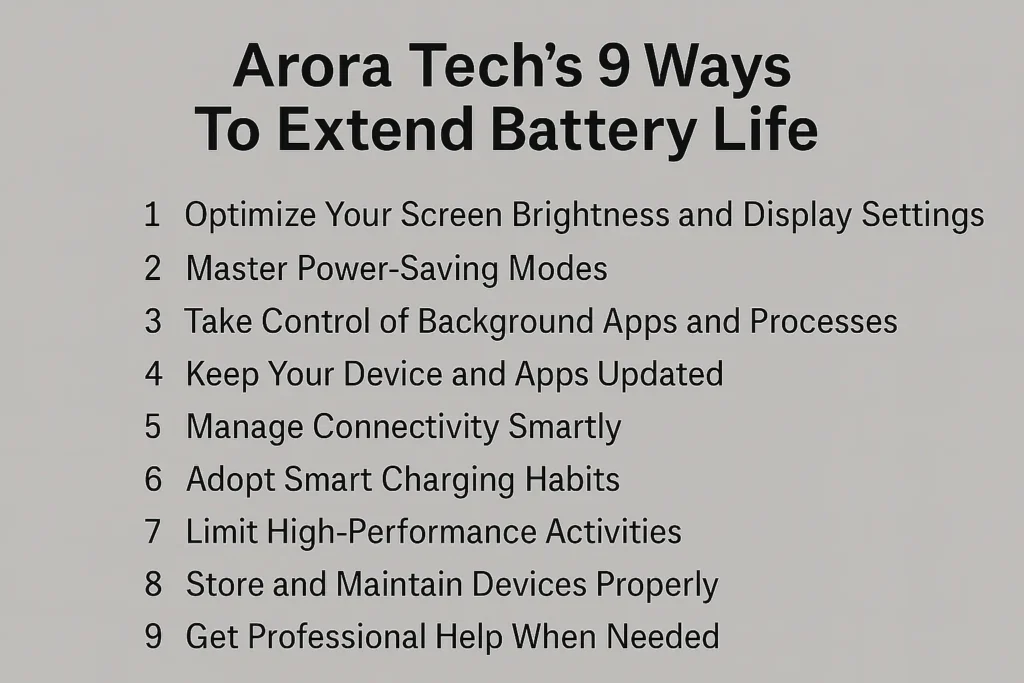
1. Optimize Your Screen Brightness and Display Settings
The screen is the hungriest component of modern devices. Brightness levels, display resolution, and refresh rates all affect how quickly your battery drains.
How to Reduce Screen Power Drain
- Lower Brightness: Keeping your screen at 50–70% brightness significantly extends battery life without straining your eyes.
- Enable Auto-Brightness: Most devices can adjust brightness based on ambient light — perfect for conserving power.
- Reduce Refresh Rate: On phones and laptops with 90Hz or 120Hz displays, switching to 60Hz can save hours of battery.
- Shorten Screen Timeout: Set your display to turn off after 30–60 seconds of inactivity.
Example
A student using a tablet for reading can extend battery life by 20–25% simply by lowering brightness and using dark mode.
2. Master Power-Saving Modes
Phones, laptops, and tablets all have built-in battery-saving settings designed to minimize background activity.
Key Features of Battery Saver Modes
- Limits Background Apps: Prevents apps from running when not in use.
- Restricts Push Notifications: Stops non-essential apps from constantly pinging the system.
- Adjusts CPU Performance: Runs your processor at lower speeds to save power.
Pro Tip
Don’t wait until your device is at 20% to turn it on. Use power-saving mode during long meetings, travel, or gaming sessions to stretch performance.
3. Take Control of Background Apps and Processes
Background tasks quietly drain energy even when you’re not actively using your device.
On Phones
- Go to Settings > Battery > Background Usage and restrict apps that consume the most power.
- Disable auto-refresh for apps like email, social media, and news apps.
On Laptops
- Use Task Manager (Windows) or Activity Monitor (Mac) to quit unnecessary background programs.
- Disable startup apps you don’t need every day.
On Tablets
- Turn off syncing for cloud services when not required.
- Pause apps like streaming services when you’re multitasking.
Fun Fact
On average, closing unnecessary background apps can give you an additional 1–2 hours of usage daily.
4. Keep Your Device and Apps Updated
Software updates aren’t just about security patches — they often include battery performance optimizations.
Why Updates Matter
- Improved Power Efficiency: Developers frequently refine code to reduce CPU strain.
- Battery Calibration: Some updates improve the system’s accuracy in reading battery percentages.
- Optimized Charging Cycles: Features like Adaptive Charging on Android and Optimized Battery Charging on iOS extend long-term health.
Action Plan
- Always update to the latest iOS, Android, macOS, or Windows version.
- Regularly update apps — outdated ones can drain unnecessary resources.
5. Manage Connectivity Smartly
Wi-Fi, Bluetooth, and GPS are silent battery killers when left running unnecessarily.
How to Save Battery with Connectivity
- Turn Off Wi-Fi when using mobile data.
- Switch to Airplane Mode in low-signal areas to prevent your device from constantly searching for a network.
- Use Bluetooth Wisely: Disable it when not connected to headphones, keyboards, or other accessories.
- Limit Location Services: Set apps to “While Using” instead of “Always.”
Real-Life Example
Travelers notice that using airplane mode on long flights can double battery life compared to leaving Wi-Fi and cellular on.
6. Adopt Smart Charging Habits
Charging habits directly influence battery health and lifespan.
Dos and Don’ts
- Avoid 0% and 100%: Lithium-ion batteries prefer staying between 20% and 80%.
- Use Quality Chargers: Always use certified chargers from the manufacturer or trusted brands.
- Avoid Overnight Charging: Continuous trickle charging generates heat and shortens battery life.
- Keep Devices Cool: Excessive heat during charging damages battery cells.
Myth Buster
Contrary to popular belief, it’s not harmful to plug in your phone at 40% or unplug at 85%. In fact, it’s better for the battery long-term.
7. Limit High-Performance Activities
Intensive tasks like gaming, video editing, or 4K streaming consume huge amounts of power.
How to Reduce Impact
- Lower game graphics settings.
- Download movies for offline viewing instead of streaming.
- Use “Battery Saver” while gaming if your device supports it.
Example
A laptop running high-resolution video editing software drains almost 50% faster compared to browsing or word processing.
8. Store and Maintain Devices Properly
Battery health also depends on how you physically treat and store your devices.
Best Practices
- Avoid Heat: Keep your devices away from direct sunlight or hot cars.
- Store at 50%: If you’re not using a device for weeks, store it with around half charge.
- Protect Battery with Cases: Thin cases that trap heat can damage long-term battery performance.
9. Get Professional Help When Needed
Sometimes battery issues are beyond everyday fixes. Swollen batteries, sudden drops in charge, or overheating require expert care.
Why Professional Repair Matters
- Certified Technicians ensure safe replacements.
- High-Quality Parts extend device lifespan.
- Data Safety is preserved during repairs.
If you’re in New Jersey and need reliable service, Arora Tech in Gloucester Premium Outlets is a trusted destination for device repairs. Whether it’s a phone, laptop, or tablet, expert solutions ensure your devices get back to top performance.
Address, Contact & Repair Links
📍 Visit us at: Next to UGG’s, 100 Premium Outlets Dr Store #785, Gloucester Premium Outlets, Blackwood, NJ 08012, United States
📞 Call Now: +1 856-723-6939
✉️ Email: techbyarora@gmail.com
🛠 Submit Repair Request
Internal Resources
External Resource
Check out our Google Business Profile for reviews and updates.
Conclusion
Extending battery life on phones, laptops, and tablets doesn’t require drastic changes. By following these 9 proven ways to extend battery life on phones, laptops & tablets, you’ll not only improve daily usage but also protect long-term battery health. From small habits like lowering brightness to professional repairs when necessary, the right approach ensures your devices stay dependable when you need them most.
With thoughtful care and the occasional expert intervention, your devices can serve you longer, more efficiently, and with fewer interruptions.






4 Responses
Thank you for your sharing. I am worried that I lack creative ideas. It is your article that makes me full of hope. Thank you. But, I have a question, can you help me?
Can you be more specific about the content of your article? After reading it, I still have some doubts. Hope you can help me.
Your point of view caught my eye and was very interesting. Thanks. I have a question for you.
Can you be more specific about the content of your article? After reading it, I still have some doubts. Hope you can help me. https://accounts.binance.bh/zh-CN/register?ref=DCKLL1YD