Your Android phone is probably one of the devices you rely on most every day. You use it to communicate, work, navigate, shop, take photos, manage appointments, stream entertainment, access banking apps, and stay connected with family and friends. So when the display starts behaving strangely, even a seemingly small screen problem can become a major inconvenience.
That is where Android phone screen repair becomes an important consideration.
Whether your touchscreen has stopped responding properly, the display has developed lines or dark areas, the glass has suffered visible damage, or the phone simply looks and feels different after an impact, knowing what to do next can save you time, money, and unnecessary frustration.
The challenge is that not every screen problem requires the same solution. Sometimes a software issue can look like a hardware problem. In other situations, continuing to use a damaged display can make everyday use increasingly difficult. And when replacement is necessary, choosing the right repair approach matters.
This guide explains Android phone screen repair from the perspective of an everyday phone owner. We will cover common symptoms, causes, repair options, costs and value considerations, preparation steps, what to ask a repair professional, and ways to protect your replacement screen afterward.
If you are in the Blackwood or surrounding South Jersey area and need hands-on assistance, Arora Tech provides device repair and accessory services at Gloucester Premium Outlets. But before deciding what to do, let’s understand the problem itself.
1. What Is Android Phone Screen Repair?
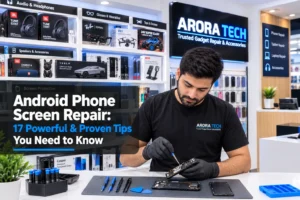
Android phone screen repair refers to professional service performed when an Android smartphone’s display assembly or related components are no longer functioning as they should.
The term can cover several different types of work.
A phone’s screen is not always just one simple piece of glass. Depending on the model, the display assembly can include:
- Outer protective glass
- Touch-sensitive digitizer
- OLED or LCD display panel
- Display connectors
- Adhesive layers
- Frame or housing components
- Other integrated display-related components
This is why two phones with similar-looking screen problems can require completely different repair procedures.
For example, a phone may have a display that still produces a clear image but has a damaged outer layer. Another phone may look physically normal but have a touchscreen that does not respond to touch. A third device might have lines, discoloration, flickering, or black areas caused by damage to the actual display panel.
Professional Android phone screen repair begins with identifying which part of the display system is causing the problem.
That diagnostic step is important because replacing components unnecessarily can increase the cost of service.
2. What Are the Most Common Signs You Need Android Phone Screen Repair?
Some screen problems are immediately obvious. Others develop gradually.
Here are several warning signs worth paying attention to.
Unresponsive touch
If portions of the screen no longer recognize touches consistently, the digitizer or display assembly may have a problem.
You might notice that:
- Certain areas do not respond
- Swipes stop working
- The keyboard misses letters
- You have to tap repeatedly
- Touches register in the wrong location
A restart can sometimes resolve temporary software glitches. If the issue repeatedly returns, however, professional evaluation may be appropriate.
Display lines
Vertical or horizontal lines appearing across the screen can indicate display hardware damage.
These lines may be:
- Constant
- Intermittent
- Colored
- White
- Black
- Flickering
If they remain after restarting the phone, hardware inspection becomes increasingly important.
Dark or black sections
A display that suddenly develops a dark patch or completely black area may have suffered panel damage.
The phone might still produce sounds, receive calls, vibrate, or respond to buttons while the display itself remains unusable.
Flickering
Display flickering can have several possible causes, including software issues, loose connections, display damage, or other hardware problems.
If changing brightness or restarting the phone does not resolve persistent flickering, consider having it assessed.
Ghost touches
Ghost touches occur when the phone appears to register taps or swipes that you did not make.
This can be particularly frustrating because the device may open apps, type messages, or move through screens without your intended input.
Persistent ghost-touch behavior should be investigated rather than ignored.
3. What Causes Android Phone Screen Problems?
Understanding how screen damage happens can help you prevent future problems.
Accidental impacts
Drops and impacts are among the most common reasons people eventually need Android phone screen repair.
The phone does not necessarily have to suffer a dramatic fall. Repeated smaller impacts can also affect the display assembly over time.
Pressure
Keeping a phone underneath heavy objects, sitting on it, or placing it in a tightly packed bag can put pressure on the display.
Modern smartphone screens are engineered to be thin, which makes careful handling important.
Liquid exposure
Moisture can potentially affect internal components, connectors, and display functionality.
Even devices advertised with water resistance should not be treated as waterproof under every circumstance. Water resistance can vary by model and condition, and seals can change over time.
Heat
Excessive heat can affect electronics and adhesives.
Leaving your phone in a hot vehicle, exposing it to prolonged direct sunlight, or using it heavily while it is already overheating can create additional stress.
Manufacturing or component failure
Not every display issue is caused by something the owner did.
Electronic components can fail because of age, defects, internal connection problems, or other hardware issues.
That is why diagnostics matter.
4. Can a Screen Problem Be Fixed Without Replacing the Screen?
This is one of the most common questions people have about Android phone screen repair.
The answer is: sometimes.
A screen that appears to be malfunctioning may actually be affected by:
- A temporary software problem
- A problematic application
- An operating-system glitch
- Dirt or debris around the device
- A case or screen protector interfering with touch
- A loose or damaged connection
- Another unrelated hardware issue
Before assuming the display needs replacement, you can try a few basic troubleshooting steps.
Restart the phone.
Remove any case or screen protector that may interfere with touch.
Clean the display gently with an appropriate microfiber cloth.
Install available system updates if the phone remains usable.
Test whether the issue occurs across multiple apps.
If the problem remains, professional diagnosis can determine whether Android phone screen repair is actually necessary.
5. Screen Glass Damage vs. Display Damage
It is useful to understand the difference between the visible glass and the display underneath it.
The outer glass protects the display and touch components. Depending on the phone design and repair method available for that model, a professional may be able to address specific components separately or may need to replace the complete display assembly.
Signs that the underlying display may be affected include:
- Black spots
- Lines
- Severe discoloration
- Flickering
- Large areas without image
- Touch failure
- Image distortion
A phone can therefore have visible physical damage while still producing a perfectly usable image—or it can have relatively little visible exterior damage while experiencing serious display problems.
That is why visual inspection alone does not always tell the whole story.
6. Why You Should Not Ignore a Persistent Screen Problem
It can be tempting to keep using a phone when the display is “mostly working.”
After all, if you can still send messages and make calls, why deal with it immediately?
There are several reasons.
A small problem may become more disruptive over time. Touch responsiveness may become less predictable. Display visibility may decline. Everyday tasks can become increasingly frustrating.
There is also the practical issue of data access.
If the display eventually becomes unusable, retrieving information from the phone can become more difficult depending on the device, settings, and security configuration.
If your phone is still functional enough to access your important information, it is wise to maintain a current backup.
And if the screen problem appeared after an impact or other event, having the device inspected can help identify related issues that are not immediately visible.
7. What Happens During Android Phone Screen Repair?
A professional repair process can vary by phone model and the nature of the problem, but it generally involves several stages.
Step 1: Initial inspection
The technician evaluates the phone and listens to your description of the problem.
Step 2: Diagnostic testing
The display, touch functionality, buttons, charging behavior, cameras, speakers, and other relevant functions may be checked depending on the situation.
Step 3: Identifying the appropriate repair
If the screen assembly is the source of the problem, the technician determines what repair approach is appropriate for the particular Android model.
Step 4: Component replacement or repair
The necessary work is performed using appropriate tools and procedures.
Step 5: Testing
After service, the phone should be tested to make sure the display and touch functionality are operating properly.
Step 6: Final inspection
The device is checked for overall functionality before it is returned.
A good Android phone screen repair experience is not simply about installing a replacement component. It is also about proper diagnosis and post-repair testing.
8. Does Every Android Phone Use the Same Screen?
No.
Android is a huge ecosystem that includes devices from many manufacturers and product families.
Examples include:
- Samsung Galaxy
- Google Pixel
- OnePlus
- Motorola
- And many other Android brands
Even within the same manufacturer, different generations and models can use different display technologies, sizes, connectors, frames, and assemblies.
That means a replacement component intended for one phone may not be appropriate for another.
This is another reason it is important to provide the exact phone model when asking about Android phone screen repair.
If you are unsure of the model, a repair professional can usually help identify it.
9. How Much Does Android Phone Screen Repair Cost?
There is no single price for every Android phone.
The cost can depend on:
- Phone model
- Display technology
- Replacement component
- Availability of parts
- Labor
- Extent of damage
- Repair method
- Other components that may have been affected
A basic budget Android phone may have a very different repair cost from a premium flagship with an advanced OLED display.
Foldable devices can also involve particularly specialized display assemblies.
For that reason, the best way to get an accurate estimate for Android phone screen repair is to provide the exact model and allow the device to be evaluated.
It is also worth comparing the repair cost with the current value of your phone.
If the repair is reasonably priced and the device otherwise meets your needs, repairing it may be much more practical than purchasing another phone.
10. Is Android Phone Screen Repair Worth It?
This depends on your circumstances.
Consider these questions:
How old is the phone?
A relatively recent phone may still have years of useful life ahead.
Does everything else work properly?
If the cameras, battery, charging port, speakers, buttons, and other functions are performing well, a screen repair may make good financial sense.
How much would another phone cost?
Replacing a phone can be considerably more expensive than repairing one.
Do you have important data on the device?
Keeping your existing phone can sometimes be easier than transferring everything to another device.
Do you actually like your current phone?
That matters too. If your phone performs well for your needs, there may be little reason to replace the entire device because of one repairable component.
A sensible repair decision looks at the whole picture rather than automatically assuming replacement is better.
11. Should You Try to Repair an Android Screen Yourself?
DIY tutorials can make screen replacement look easier than it really is.
Professional Android phone screen repair requires more than simply removing the damaged component and installing another one.
Depending on the device, the process can involve:
- Opening a tightly sealed housing
- Managing delicate cables
- Disconnecting batteries
- Handling fragile components
- Removing adhesive
- Transferring small components
- Reassembling the device correctly
- Testing functionality afterward
A mistake can create additional problems.
For someone experienced with electronics repair, DIY work may be possible on certain devices. For the average phone owner, however, professional service can reduce the risk of turning one problem into several.
12. What Should You Do Before Getting Your Phone Repaired?
A little preparation can make the process easier.
Back up your important information
If possible, make sure your photos, contacts, documents, and other important information are backed up.
Use the backup options available through your phone and accounts.
Know your Google account information
Make sure you know the credentials associated with the device if they are needed for legitimate service or setup procedures.
Remove sensitive information when appropriate
If you can safely prepare the device according to the repair provider’s instructions, protect your personal information.
Note existing issues
If your phone already has problems with charging, cameras, speakers, buttons, or connectivity, tell the technician.
This can help distinguish an existing issue from something related to the screen problem.
Know the exact model
This can help a repair professional determine compatible components and provide a more accurate estimate.
13. What Questions Should You Ask a Repair Shop?
Before approving Android phone screen repair, asking a few straightforward questions can help you make a more informed decision.
Ask:
- What exactly is causing the display problem?
- Does the complete screen assembly need replacement?
- What replacement component will be used?
- What is included in the quoted price?
- How long should the repair take?
- Will the phone be tested after the repair?
- Is there a limited warranty on the service or replacement component?
- Are there any other issues that should be addressed?
- Will my existing data normally remain on the device?
- What should I do if the problem returns?
You do not need to be an electronics expert to ask these questions.
A professional should be able to explain the situation in straightforward language.
14. Why Screen Quality Matters After a Repair
The cheapest replacement is not necessarily the best value.
The display affects nearly every interaction with your phone.
A replacement screen should provide an appropriate combination of:
- Touch responsiveness
- Brightness
- Color performance
- Visibility
- Fit
- Reliability
- Compatibility
The exact experience depends heavily on the phone model and replacement component.
If you are comparing quotes for Android phone screen repair, do not compare prices alone.
Ask what is included and what type of component is being installed.
A slightly different upfront price can make more sense when you understand the differences in the repair and component being offered.
15. How to Protect Your Phone After Android Phone Screen Repair
Once you have invested in Android phone screen repair, prevention becomes the next priority.
Use a quality case
A case can provide additional protection around the phone and help reduce the consequences of everyday impacts.
Consider a screen protector
A suitable screen protector can provide an additional protective layer against everyday scratches and minor wear.
The correct protector should be compatible with your phone model and should not interfere with touch functionality.
Avoid carrying your phone loosely with hard objects
Keys, coins, and other objects can scratch surfaces or place pressure on the phone.
Keep the device away from excessive heat
Avoid leaving it in extremely hot environments whenever possible.
Do not place heavy objects on it
Even if the phone appears durable, unnecessary pressure is best avoided.
Handle it carefully
Many screen problems are preventable simply by developing better everyday handling habits.
16. How to Choose Between Repair and Replacement
Sometimes the right decision really is to replace the phone.
If your device is very old, has multiple unrelated problems, has poor battery performance, or would require several expensive repairs, purchasing another phone may be more practical.
But if the phone otherwise works well, Android phone screen repair can extend its useful life without requiring you to replace an entire device.
Think of the decision as a value calculation rather than an emotional reaction to the damaged screen.
Ask:
Repair cost + expected remaining lifespan = good value?
If the answer is yes, repair may be the sensible choice.
If the phone has reached the point where multiple major repairs are likely, replacement may make more sense.
17. Why Local Repair Can Be Convenient
When you need Android phone screen repair, convenience matters.
Shipping a device away can mean waiting for transportation, service, and return delivery.
A local repair location can give you the opportunity to discuss the problem directly, ask questions, and understand your options in person.
For residents of Blackwood and nearby South Jersey communities, Arora Tech is conveniently located inside Gloucester Premium Outlets.
The goal is not simply to perform a repair. It is to help customers understand what is happening with their device and determine a practical next step.
That approach can be especially useful when you are not sure whether a screen problem requires replacement at all.
Android Phone Screen Repair for Samsung, Pixel, OnePlus, Motorola and More
Android users have many choices when purchasing a phone, but that variety also means repairs need to be model-specific.
A Samsung Galaxy device may require a completely different procedure from a Google Pixel.
Likewise, OnePlus and Motorola phones can have their own display assemblies, internal layouts, and repair considerations.
When requesting Android phone screen repair, provide as much information as possible about the device.
If you know the exact model number, include it.
If you do not, bring the phone in for identification.
This prevents confusion and helps the repair professional determine what components and procedures may be appropriate.
When a Screen Protector Is Not Enough
Screen protectors are useful preventative accessories, but they are not a substitute for repairing a display that is already malfunctioning.
A protector may help protect against everyday scratches and minor surface wear.
However, it cannot restore:
- A display with dead areas
- Persistent ghost touches
- Internal display damage
- Severe flickering
- Missing image
- Failed touch functionality
If your phone is already experiencing these symptoms, the right answer may involve professional diagnosis and Android phone screen repair rather than simply adding another layer of protection.
Why Diagnostics Are So Important
One of the biggest mistakes consumers can make is assuming that every screen problem automatically means the same repair.
Imagine a phone that suddenly stops responding to touch.
The problem could be:
- Software-related
- Caused by an accessory
- Related to the digitizer
- Related to the display assembly
- Connected to another internal component
Without diagnosis, it is difficult to know.
Professional Android phone screen repair should therefore begin with understanding the problem rather than immediately replacing parts.
This approach can help prevent unnecessary expenses.
It also gives the customer a clearer picture of what they are paying for.
A Practical Android Screen Repair Checklist
If your Android phone starts experiencing screen problems, use this quick checklist:
First, identify the symptom
Is the problem with:
- Touch?
- Image?
- Brightness?
- Flickering?
- Lines?
- Color?
- Physical condition?
Next, try basic troubleshooting
Restart the phone.
Remove accessories temporarily.
Clean the display gently.
Check whether the issue occurs across different applications.
Then, protect your information
Back up important data whenever possible.
Identify the phone model
This helps determine the appropriate repair path.
Get a professional assessment
If the issue continues, have the device evaluated.
Compare repair value
Consider the phone’s age, condition, functionality, and replacement cost.
Ask about the repair
Understand what is being replaced and what testing is performed afterward.
Protect the repaired device
Use an appropriate case and screen protector and handle the phone carefully.
Common Questions About Android Phone Screen Repair
Can I use my phone if only part of the screen is affected?
You may be able to, but it depends on the severity of the problem. If touch or display functionality is unreliable, continuing to use the phone may become increasingly difficult.
Does a screen problem always mean the phone needs a new screen?
No. Some display symptoms can come from software or other causes. Diagnosis is important.
How long does Android phone screen repair take?
Repair time varies depending on the model, part availability, repair complexity, and the provider’s workload. Ask for an estimated turnaround before approving service.
Will my data be deleted?
A screen repair does not inherently mean that your personal data must be erased. However, you should always maintain a current backup and follow the repair provider’s instructions.
Is it better to repair or buy another Android phone?
It depends on the phone’s age, overall condition, repair cost, and your needs. A relatively modern phone with one major issue can often be worth repairing.
Can a screen protector fix touch problems?
No. A screen protector can provide additional surface protection, but it cannot repair a malfunctioning display or digitizer.
Should I repair a phone that is several years old?
Possibly. If the phone otherwise works well and the repair cost is reasonable compared with replacement, repair can still be worthwhile.
Making a Smarter Decision About Your Android Phone
The biggest lesson is simple: Android phone screen repair does not have to be a confusing decision.
You do not necessarily need to buy a new phone the moment something goes wrong.
At the same time, you should not assume every display problem can be solved with a quick software reset.
The smartest approach is to understand the symptom, protect your data, determine whether the issue is hardware or software-related, and compare the cost of repair with the value of keeping your existing device.
For many people, a properly completed screen repair can restore a familiar phone and extend its useful life.
And if you are unsure what your Android device actually needs, getting an honest assessment can be more useful than guessing.
Need Android Phone Screen Repair in Blackwood, NJ?
If your Android phone is experiencing display or touch problems and you are looking for a convenient local option, Arora Tech is located inside Gloucester Premium Outlets in Blackwood.
The store helps customers with everyday device repair questions and services, making it easier to discuss your phone’s symptoms and determine an appropriate next step.
You can learn more about available services on the Arora Tech Services page, or submit the repair service form before visiting.
Visit Arora Tech
Arora Tech – Trusted Gadget Repair & Accessories
Call Now: +1 856-723-6939
Email: techbyarora@gmail.com
If you want to learn more about the business, services, and device solutions available, visit the Arora Tech website.
You can also view the Arora Tech Google profile to learn more and find the business online.
Your Android phone is an important part of everyday life. When its screen starts causing problems, getting the right information before making a decision can help you avoid unnecessary expense and get back to using your device with confidence.