
Introduction
Why your phone overheats is one of the most common concerns smartphone users have today. Whether you’re streaming videos, playing games, charging your device, or even just scrolling social media, heat buildup can create real problems. Excessive heat not only makes the phone uncomfortable to hold but can also damage the battery, weaken internal components, and shorten the overall lifespan of your device.
If you’ve ever wondered why your phone overheats and how to prevent lasting damage, you’re not alone. Countless users face this issue daily, often without knowing the root causes or safe solutions. In this guide, we’ll break down 10 expert tips to prevent damage so that your phone stays cooler, runs faster, and lasts longer.
This article isn’t just theory—it’s based on real-world repairs and insights from professionals like the team at Arora Tech, who handle overheated devices regularly. By the time you finish reading, you’ll have a clear understanding of how to manage overheating and what to do when professional repair is necessary.
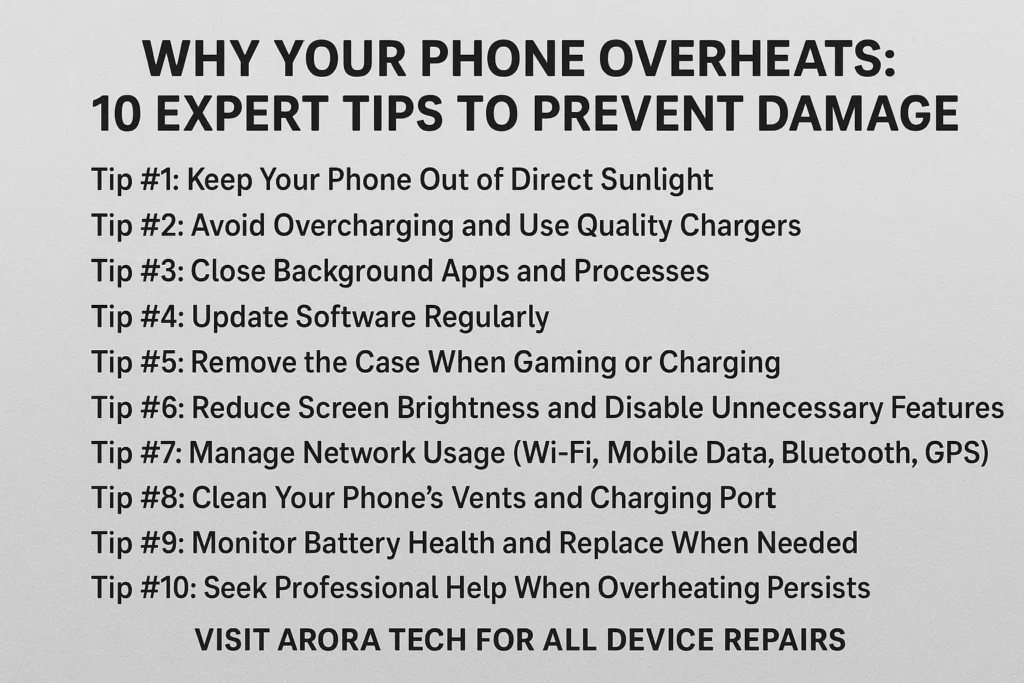
1. Why Your Phone Overheats in the First Place
Before jumping into solutions, let’s understand the root causes behind overheating:
- Processor Strain – Running demanding apps like games or video editing tools puts stress on the CPU and GPU.
- Battery Stress – Old or damaged batteries generate excess heat.
- Charging Issues – Low-quality chargers or faulty cables can lead to overheating.
- Environment – Using your phone in hot weather or leaving it in a car increases the risk.
- Background Apps – Too many processes running silently in the background drain power and generate heat.
- Software Bugs – Outdated apps or operating systems sometimes have glitches that cause unnecessary CPU usage.
👉 Understanding why your phone overheats is the first step toward preventing long-term damage.
2. Expert Tip #1: Keep Your Phone Out of Direct Sunlight
Leaving your phone in the sun, on a car dashboard, or even near a sunny window can cause rapid overheating. Smartphones are designed to operate within specific temperature ranges, usually between 32°F and 95°F (0°C to 35°C). Anything above this puts your device at risk.
- Example: Think of your phone like a laptop or a gaming console. If airflow is blocked or it’s placed in extreme heat, performance drops.
- Quick Fix: Store your phone in your pocket, bag, or shaded area when outdoors.
📌 Pro Insight: At Arora Tech, many repairs begin with heat-related battery swelling caused by repeated sun exposure.
3. Expert Tip #2: Avoid Overcharging and Use Quality Chargers
Many users leave phones charging overnight. While modern devices stop charging at 100%, heat continues to build during long charging sessions.
- Use original or certified chargers. Cheap knock-offs often don’t have proper thermal regulation.
- Avoid charging under your pillow or blanket where airflow is blocked.
- Unplug at 80-90% if possible. This reduces battery wear and minimizes overheating.
A damaged battery is one of the leading reasons why your phone overheats—and once the battery degrades, the only safe fix is replacement.
4. Expert Tip #3: Close Background Apps and Processes
Many people underestimate how much background activity contributes to heat. Apps like Facebook, Instagram, and location-based services run constantly.
- Solution:
- On iPhone: Swipe up and close apps you’re not using.
- On Android: Use “Battery & Performance” settings to restrict background processes.
- Bonus: Reducing background tasks also extends battery life.
👉 This is a small change but makes a huge difference in preventing overheating.
5. Expert Tip #4: Update Software Regularly
Software updates aren’t just about new features. They often fix bugs that cause overheating. For example, an app update may stop it from unnecessarily running in the background.
- Always update both your operating system and apps.
- Enable automatic updates to save time.
A phone running outdated software is more likely to overheat because of inefficient resource management.
6. Expert Tip #5: Remove the Case When Gaming or Charging
Phone cases trap heat. While useful for protection, they can act like insulation.
- When to remove:
- While charging
- During long gaming sessions
- When recording videos
If you notice your phone heating up, try removing the case temporarily to allow better heat dissipation.
7. Expert Tip #6: Reduce Screen Brightness and Disable Unnecessary Features
Your screen is one of the biggest battery drains. High brightness levels directly contribute to heating.
- Lower brightness manually or enable auto-brightness.
- Turn off Bluetooth, GPS, and Wi-Fi when not in use.
- Use battery saver mode to automatically limit performance and prevent heating.
This step alone can significantly reduce why your phone overheats during everyday use.
8. Expert Tip #7: Manage Network Usage (Wi-Fi, Mobile Data, Bluetooth, GPS)
Constantly searching for signals creates stress on your phone’s processor and antenna.
- In low-signal areas, your phone works harder to stay connected, generating more heat.
- Solution: Enable airplane mode when you don’t need connectivity.
This reduces unnecessary strain and keeps your phone cooler.
9. Expert Tip #8: Clean Your Phone’s Vents and Charging Port
Dust, lint, and dirt can block airflow or disrupt charging, which leads to excessive heat.
- Use a soft brush or compressed air to clean ports.
- Avoid sharp objects like needles or pins—they may damage components.
A clogged charging port can also cause inefficient power transfer, another reason why your phone overheats.
10. Expert Tip #9: Monitor Battery Health and Replace When Needed
Every battery has a lifespan. Over time, its efficiency decreases, and overheating becomes more common.
- iPhone users: Check battery health in Settings → Battery → Battery Health.
- Android users: Use apps like AccuBattery to track battery performance.
If your phone frequently overheats despite following all tips, your battery might need replacement. This is a service regularly provided by Arora Tech.
11. Expert Tip #10: Seek Professional Help When Overheating Persists
Sometimes overheating is a sign of hardware damage—like a failing motherboard, faulty charging IC, or swollen battery.
👉 If you’ve tried all prevention methods and the issue persists, it’s time to consult a repair shop.
12. When to Visit a Repair Shop Like Arora Tech
At some point, DIY fixes aren’t enough. Persistent overheating can permanently damage your device. That’s where experts come in.
- Address: Next to UGG’s, 100 Premium Outlets Dr Store #785, Gloucester Premium Outlets, Blackwood, NJ 08012, United States
- Call Now: +1 856-723-6939
- Email: techbyarora@gmail.com
- Website: Arora Tech
Whether it’s a battery replacement, motherboard repair, or advanced thermal issue, professional technicians ensure your phone is safely repaired and optimized for long-term use.
Conclusion
Why your phone overheats doesn’t have to remain a mystery. With these 10 expert tips, you can take control of your device’s performance, prevent damage, and extend its lifespan.
But when all else fails, remember that help is just around the corner. Arora Tech in Gloucester Premium Outlets specializes in diagnosing and fixing overheating issues so you can get back to using your phone worry-free.
For peace of mind and professional solutions, visit us today—or check out our Google profile to see what others say about our trusted repair services.






3 Responses
I don’t think the title of your article matches the content lol. Just kidding, mainly because I had some doubts after reading the article.
Can you be more specific about the content of your article? After reading it, I still have some doubts. Hope you can help me. https://accounts.binance.com/register/person?ref=L4EUT9FG
Your point of view caught my eye and was very interesting. Thanks. I have a question for you.