
Introduction
SSD vs HDD in 2025 is one of the most important technology comparisons for laptop users today. If you’re still running your device on an older HDD (hard disk drive), you might already be noticing the sluggish boot times, laggy performance, and loud whirring noises that slow down your workflow. Meanwhile, upgrading to an SSD (solid state drive) is being called a game changer in 2025 by experts and everyday users alike.
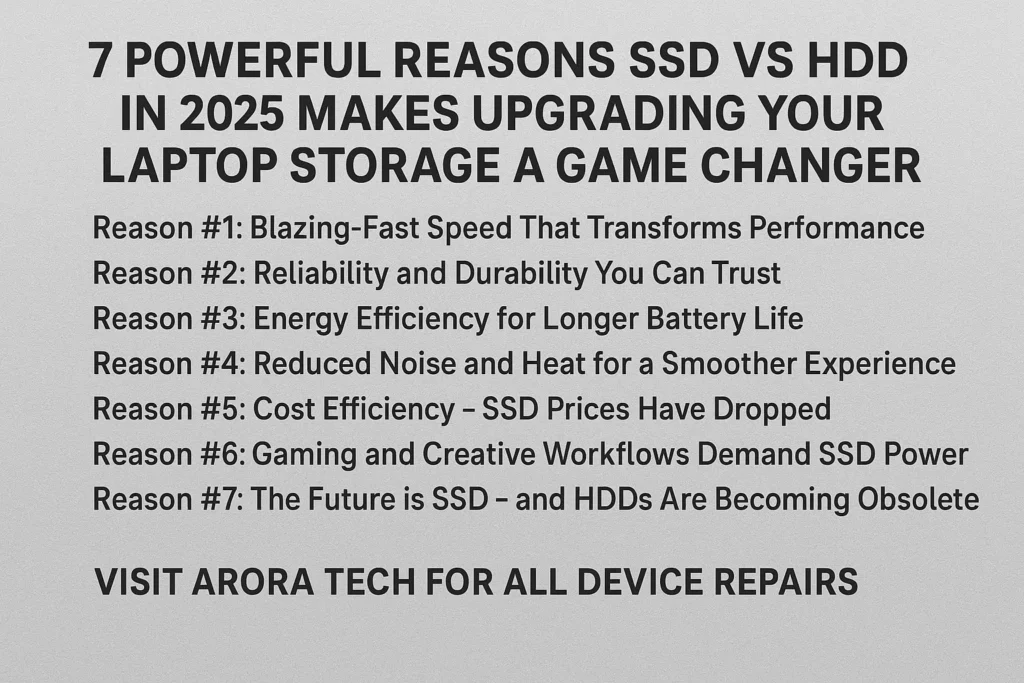
In this blog, we’ll explore 7 powerful reasons why SSD vs HDD in 2025 clearly shows that SSD is the better choice, why now is the perfect time to upgrade your laptop storage, and how making this change can extend the lifespan of your device.
By the end, you’ll not only understand the technical differences between SSDs and HDDs, but also know how upgrading your storage can transform your laptop into a faster, more reliable, and future-ready machine.
SSD vs HDD in 2025: Why It Matters More Than Ever
The debate of SSD vs HDD in 2025 isn’t new, but the stakes are higher now than ever before. With laptops powering both work and personal life — from video calls to digital art, gaming, or managing a business — storage speed and reliability are crucial.
Reason #1: Lightning-Fast Speeds
When comparing SSD vs HDD in 2025, speed is the first thing that stands out. HDDs average around 80–160 MB/s in data transfer speeds, while modern SSDs easily exceed 500 MB/s — with NVMe SSDs reaching up to 7,000 MB/s.
Expanded Explanation:
- Boot Time: A laptop with an HDD might take 60–90 seconds to boot into the operating system. With an SSD, you’re looking at 10–20 seconds. This adds up significantly if you restart often.
- App Loading: Programs like Photoshop, Premiere Pro, or even Microsoft Word open almost instantly with SSDs, compared to noticeable delays on HDDs.
- Gaming: Games load faster, and maps or levels appear with less waiting time. Imagine shaving off minutes every time you load into a match.
- Everyday Tasks: Copying large files, installing updates, or multitasking feels fluid.
In short, speed is not just a convenience—it directly impacts productivity and quality of life.
Reason #2: Reliability and Durability
HDDs rely on spinning disks, which are fragile and vulnerable to shocks or drops. In 2025, SSDs remain far more reliable because they have no moving parts.
Expanded Explanation:
- Mechanical Weakness of HDDs: If you drop your laptop while an HDD is running, the read/write heads can scratch the spinning platter, permanently destroying data.
- Shock Resistance: SSDs, being solid-state, can handle accidental bumps, shakes, and drops much better. This makes them ideal for students, travelers, and remote workers.
- Temperature Stability: HDDs can fail when exposed to extreme temperatures, whereas SSDs generally perform better under stress.
- Data Safety: With fewer physical vulnerabilities, SSDs reduce the risk of catastrophic data loss due to mechanical failure.
Reliability is one of the biggest reasons businesses and professionals upgrade to SSDs in 2025.
Reason #3: Longer Battery Life
Because HDDs consume more energy to spin disks, they drain your battery faster. An SSD, by contrast, uses less power and helps extend your laptop’s battery life.
Expanded Explanation:
- HDD Power Draw: An HDD has to keep spinning its platters whenever in use, leading to a constant energy drain.
- SSD Efficiency: SSDs draw only the energy they need to access flash memory cells, conserving battery.
- Real-World Impact: A laptop with HDD might last 4–5 hours on battery, while the same laptop with an SSD could run 6–7 hours under similar usage.
- Green Benefits: Lower power consumption also means less environmental impact.
For those constantly on the go — business travelers, college students, and freelancers — every extra hour of battery life counts.
Reason #4: Future-Proof Performance
In 2025, software and operating systems are designed with SSD-level speeds in mind. Running them on HDDs feels outdated and frustrating.
Expanded Explanation:
- Operating System Requirements: Windows 11 and macOS updates are optimized for SSDs, leading to degraded performance on HDDs.
- Software Trends: Programs like Adobe Creative Cloud, AutoCAD, and even office apps assume SSD-level data access speeds.
- Gaming Evolution: AAA games now require SSDs for smoother performance, with many titles stating “SSD recommended” in their system requirements.
- Technology Longevity: SSDs ensure your device remains relevant for years, while HDD-based laptops age quickly.
An SSD upgrade is not just about today — it’s about keeping your laptop usable for the next 5+ years.
Reason #5: Silent Operation
HDDs produce a constant humming and clicking sound. SSDs are silent — perfect for anyone working in quiet environments like libraries, offices, or classrooms.
Expanded Explanation:
- HDD Noise: Spinning platters generate a whirring sound, and the mechanical read/write head makes clicks during data access.
- SSD Silence: With no moving parts, SSDs make absolutely no noise, improving comfort.
- Impact on Focus: Silent operation reduces distractions, especially during late-night work or study sessions.
- Cooling Benefits: Less heat and noise also mean your laptop fan doesn’t need to work as hard, resulting in quieter overall operation.
For anyone who values a distraction-free work or study environment, SSDs are a clear winner.
Reason #6: Improved Multitasking
The SSD vs HDD in 2025 comparison clearly shows SSDs handle multitasking better. Running multiple apps, streaming, editing videos, or browsing dozens of tabs simultaneously is smoother with SSD storage.
Expanded Explanation:
- Reduced Lag: With HDDs, switching between multiple apps can cause significant lag. SSDs eliminate this issue.
- Creative Workflows: Designers and video editors can run heavy programs alongside background tasks without slowdowns.
- Everyday Usage: Even casual users benefit — opening multiple Chrome tabs, while running Spotify and Zoom, feels fluid.
- Gaming While Streaming: SSDs allow gamers to stream gameplay while running background applications with minimal stutter.
In a world where multitasking is the norm, SSDs are essential for smooth performance.
Reason #7: Affordable Upgrade with Huge Impact
Back in the early 2010s, SSDs were expensive. In 2025, prices have dropped significantly. For less than the cost of a mid-range accessory, you can completely transform your laptop’s speed and usability.
Expanded Explanation:
- Price Drop: In 2010, a 120GB SSD could cost $200+. Today, a 1TB SSD often costs under $70.
- Value for Money: No other upgrade offers such dramatic performance improvements for such a small cost.
- Extended Laptop Life: Instead of buying a new laptop, upgrading to an SSD can give your old device a second life, saving hundreds of dollars.
- Easy Installation: Most SSD upgrades are quick and straightforward, especially with professional help.
For budget-conscious users, this is the smartest way to maximize value from their laptop.
Why Choose Arora Tech for SSD Upgrades in 2025
If you’re in New Jersey and considering SSD vs HDD in 2025, upgrading your laptop storage is one of the smartest decisions you can make. At Arora Tech, we specialize in professional storage upgrades that ensure your device runs smoothly, securely, and with optimized performance.
- Visit us at: Next to UGG’s, 100 Premium Outlets Dr Store #785, Gloucester Premium Outlets, Blackwood, NJ 08012, United States
- Call us directly: 📞 +1 856-723-6939
- Email: techbyarora@gmail.com
- Repair form: Fill out here
Check out our services page: Arora Tech Services
For more helpful tips and guides, explore our blog: Arora Tech Blog
And see what our customers are saying on Google Reviews.
Conclusion
The SSD vs HDD in 2025 debate is no longer about “if” you should upgrade — it’s about when. The benefits of switching to SSD storage include faster speeds, better durability, longer battery life, and future-proof performance. Whether you’re a student, gamer, or professional, upgrading is one of the most cost-effective ways to breathe new life into your laptop.
At Arora Tech, we’re here to make the process simple, affordable, and reliable. Don’t let your old HDD slow you down in 2025 — upgrade today and feel the difference.






3 Responses
Thank you for your sharing. I am worried that I lack creative ideas. It is your article that makes me full of hope. Thank you. But, I have a question, can you help me?
Your point of view caught my eye and was very interesting. Thanks. I have a question for you. https://www.binance.bh/register?ref=QCGZMHR6
Can you be more specific about the content of your article? After reading it, I still have some doubts. Hope you can help me. https://www.binance.com/register?ref=GGYHGRE