
Introduction
When it comes to wearable fitness technology, Fitbit has remained one of the top choices for people around the world. Whether you rely on it for daily step counts, sleep tracking, or heart rate monitoring, a Fitbit is more than just a gadget—it’s part of your lifestyle. But what happens when your Fitbit not syncing issue suddenly prevents your data from showing up in the app?
That’s when frustration kicks in. After all, you bought your Fitbit to make health tracking seamless, not stressful. If your Fitbit isn’t syncing, it means the device isn’t transferring your activity data to the Fitbit app on your phone, which can completely disrupt your progress tracking.
This blog—“Fitbit Not Syncing? 6 Easy Fixes Before You Need Professional Repair”—is designed as a complete everyday user’s guide. We’ll cover the most common reasons behind the syncing problem, walk you through six detailed troubleshooting steps you can try at home, and explain when it’s time to seek professional repair help from trusted experts like Arora Tech in Gloucester Premium Outlets, Blackwood, NJ.
The phrase “Fitbit not syncing” will appear frequently throughout this article because that’s exactly the issue we’re solving. By repeating and reinforcing the keyword, this guide ensures you’ll easily find it again when you search for solutions later.
Let’s get started.
Why Is My Fitbit Not Syncing?
Before we dive into fixes, let’s understand what syncing really means. Syncing is the process of transferring data from your Fitbit device to the Fitbit app via Bluetooth or Wi-Fi. If your Fitbit not syncing problem occurs, it usually means the data connection is broken somewhere between the watch and the app.
Common Causes:
- Bluetooth Issues: Weak or unstable Bluetooth connection.
- App Glitches: Fitbit app not updated or malfunctioning.
- Device Overload: Too much stored data on your Fitbit.
- Software Bugs: Fitbit OS or phone OS issues.
- Battery Problems: Low battery prevents stable syncing.
- Hardware Failures: Damaged sensors or chips inside the Fitbit.
Understanding the root cause makes troubleshooting easier. Now let’s explore the 6 easy fixes that can often resolve this issue before you even think about professional repair.
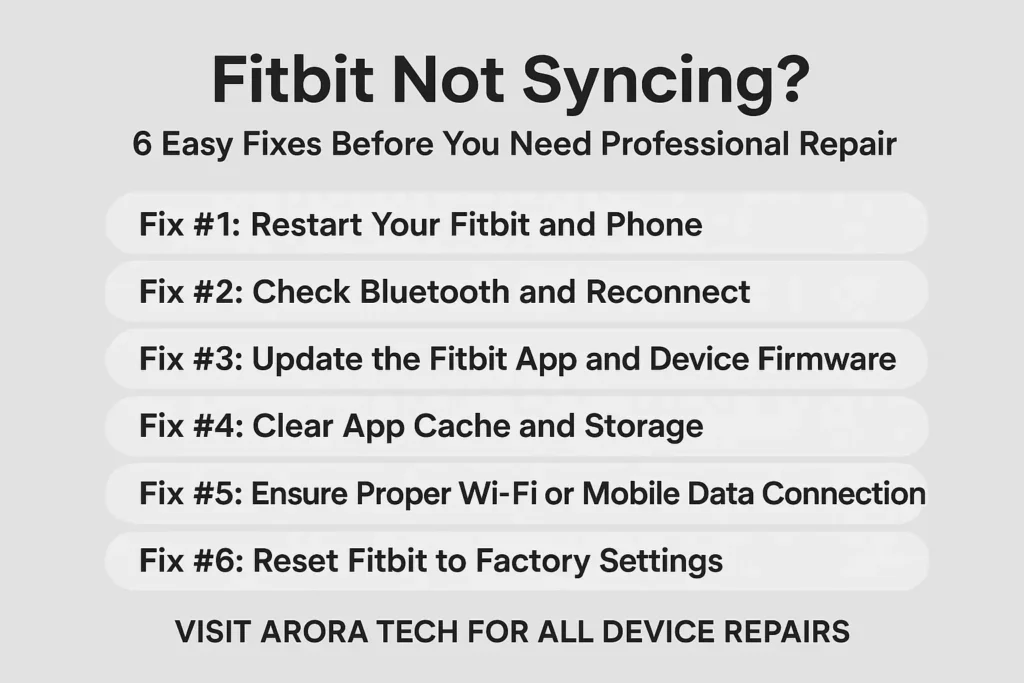
Fix #1: Restart Your Fitbit and Phone
One of the simplest and most effective ways to resolve the Fitbit not syncing issue is by restarting both your Fitbit and your smartphone.
Why it works:
Restarting clears temporary system glitches, resets Bluetooth connections, and refreshes app communication.
Steps to Restart Fitbit:
- Press and hold the side button(s) on your Fitbit.
- Keep holding until you see the Fitbit logo appear.
- Release the button.
Restart Your Phone:
- Turn off your phone completely.
- Wait 30 seconds.
- Turn it back on.
Pro Tip:
Always restart both devices together, as this gives the connection a fresh start.
Fix #2: Check Bluetooth and Reconnect
Most cases of Fitbit not syncing are caused by Bluetooth disconnections.
Steps to Fix Bluetooth Issues:
- Go to your phone’s Bluetooth settings.
- Locate your Fitbit device.
- Select Forget Device.
- Re-pair the Fitbit with your phone through the app.
Why It Helps:
Reconnecting ensures that your phone and Fitbit rebuild a fresh Bluetooth connection, free from errors.
Fix #3: Update the Fitbit App and Device Firmware
Outdated software is another common reason behind the Fitbit not syncing issue.
Update Fitbit App:
- Open your app store (Google Play or App Store).
- Search for “Fitbit.”
- Tap Update if available.
Update Fitbit Firmware:
- Open the Fitbit app.
- Tap your profile picture > your Fitbit device.
- If an update is available, follow the on-screen instructions.
Why It Works:
Updates often patch bugs that cause syncing issues.
Fix #4: Clear App Cache and Storage
Sometimes the Fitbit not syncing problem is caused by overloaded app storage.
On Android:
- Go to Settings > Apps > Fitbit > Storage > Clear Cache.
On iPhone:
- Uninstall and reinstall the Fitbit app.
Why It Works:
Clearing cache removes corrupted files that may interfere with syncing.
Fix #5: Ensure Proper Wi-Fi or Mobile Data Connection
The Fitbit app also requires a stable internet connection. If your Fitbit sync fails, it might be because your phone’s internet is unstable.
Steps to Check Connection:
- Switch between Wi-Fi and mobile data.
- Run a speed test to check if the internet is working properly.
- Turn airplane mode on and off.
If your internet isn’t working, even a healthy Fitbit won’t sync.
Fix #6: Reset Fitbit to Factory Settings
If none of the above fixes solve the Fitbit not syncing issue, you may need to reset your Fitbit.
Warning:
This will erase all data on the device, but most will be restored once syncing works again.
Steps:
- Open Fitbit app > your device > Settings.
- Select Factory Reset.
- Follow on-screen steps.
After resetting, set up your Fitbit again from scratch.
When to Seek Professional Help
If you’ve tried all six fixes and your Fitbit not syncing problem persists, it could be due to internal hardware damage.
Common hardware-related issues include:
- Bluetooth chip failure.
- Battery malfunctions.
- Water damage.
- Broken sensors.
At this stage, attempting DIY repairs can worsen the damage. Instead, professional repair from an expert service provider like Arora Tech is the safest option.
Why Choose Arora Tech for Fitbit Repairs?
Located conveniently in New Jersey, Arora Tech has years of experience repairing Fitbits and other smart devices.
📞 Call Now: +1 856-723-6939
📧 Email: techbyarora@gmail.com
📝 Repair Form: Submit Your Fitbit Repair Request Here
Internal Resources from Arora Tech
For customer reviews and store visibility, visit our Google Profile.
Final Thoughts
If your Fitbit not syncing, don’t panic. Start with the simple fixes—restart, reconnect Bluetooth, update software, and check connections. If the problem persists, try a factory reset or seek professional help.
At Arora Tech, you’ll get reliable Fitbit repair services that restore your device quickly. With the right mix of DIY troubleshooting and expert repair, your Fitbit can get back to doing what it does best: keeping you motivated and healthy.






One Response
Thank you for your sharing. I am worried that I lack creative ideas. It is your article that makes me full of hope. Thank you. But, I have a question, can you help me?