
Introduction: Why Smart PC Repair Beats Buying a New Computer
When your PC starts acting up, it’s easy to assume it’s beyond saving. But here’s the truth—most computer problems can be resolved with timely and professional PC Repair instead of shelling out hundreds on a replacement.
At Arora Tech, we’ve seen customers come in ready to buy a new system, only to find that a simple fix—like replacing a hard drive or reapplying thermal paste—revives their PC completely. That’s the power of proper PC Repair: it saves your time, money, and digital data.
Computers today are powerful, but like any machine, they age. Components degrade, software bloats, and dust builds up. However, with regular maintenance and expert diagnosis, you can easily extend your PC’s life for years.
In this blog, we’ll explore 9 powerful PC Repair fixes that not only restore performance but also prevent expensive replacements down the road.
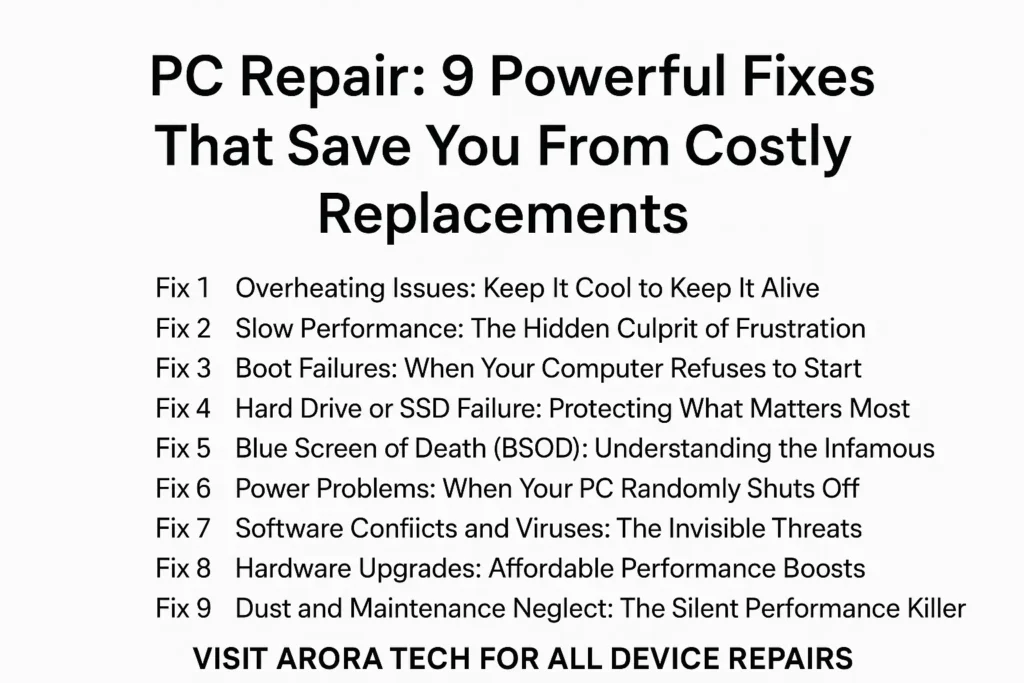
1. Overheating Issues: Keep It Cool to Keep It Alive
One of the most common causes of performance loss is overheating. When your PC gets too hot, it automatically slows down to protect itself, reducing speed and responsiveness.
Why It Happens
- Clogged fans or air vents
- Dried-out thermal paste
- Dust buildup inside the case
- Faulty or inefficient cooling systems
The Fix
During a PC Repair, technicians clean out your cooling system, replace thermal paste, and check that fans and vents are working properly.
At Arora Tech, we’ve rescued countless overheating systems just by restoring airflow and replacing faulty cooling parts. A cool PC runs faster, quieter, and lasts longer—proof that prevention really is better than replacement.
2. Slow Performance: The Hidden Culprit of Frustration
If your PC takes forever to start or load applications, it’s a red flag—but one that’s fixable through targeted PC Repair.
Possible Causes
- Failing hard drive
- Insufficient RAM
- Background malware
- Too many startup programs
The Fix
A professional PC Repair service will:
- Diagnose and replace aging drives with SSDs
- Upgrade RAM
- Perform full system optimization
- Remove malware and junk files
Clients in Gloucester, NJ, often walk out of Arora Tech saying their “old PC feels brand new again.” That’s because slow performance usually stems from worn parts or cluttered systems—not obsolescence.
3. Boot Failures: When Your Computer Refuses to Start
It’s scary when your PC won’t even boot. But don’t panic—this is often repairable.
Common Causes
- Corrupt operating system files
- Damaged power supply
- Loose cables or faulty RAM
- Malware-infected boot sectors
The Fix
Technicians at Arora Tech run diagnostics to determine whether it’s a software or hardware issue. From reinstalling Windows to replacing a failing PSU, our PC Repair experts can restore normal operation quickly.
Sometimes a $50 fix can prevent a $700 replacement—proof that getting professional help early truly pays off.
4. Hard Drive or SSD Failure: Protecting What Matters Most
A failing hard drive can spell disaster, especially if your important files aren’t backed up.
Warning Signs
- Clicking noises from the hard drive
- Slow file access
- Frequent crashes or blue screens
- “Disk not recognized” errors
The Fix
At Arora Tech, we perform data backups before replacing the failing drive with a faster, more reliable SSD. A solid-state drive upgrade during your PC Repair can not only fix storage problems but also double or triple your PC’s speed.
Don’t wait until your drive dies—addressing these early warning signs can save both your data and your wallet.
5. Blue Screen of Death (BSOD): Understanding the Infamous Error
Few things are as dreaded as the “Blue Screen of Death.” While it looks catastrophic, it’s usually fixable.
Why It Happens
- Faulty hardware drivers
- Overheating components
- Memory corruption
- Malware interference
The Fix
A professional PC Repair involves reading the crash dump files to identify the cause. Our team at Arora Tech in Gloucester uses advanced tools to isolate and resolve these errors, ensuring your PC stays stable and secure.
A single corrupted driver shouldn’t send you shopping for a new PC—just let the pros handle it.
6. Power Problems: When Your PC Randomly Shuts Off
Unexpected shutdowns or failure to power on are often signs of power supply issues.
Potential Causes
- Failing PSU (power supply unit)
- Faulty power cables or motherboard
- Overloaded circuits
The Fix
In our PC Repair diagnostics, we test voltage levels and replace defective PSUs with high-efficiency models. Proper power management ensures your PC components stay safe and extend their lifespan.
A bad power supply can cause chain-reaction failures—fixing it early can save your entire setup.
7. Software Conflicts and Viruses: The Invisible Threats
Even the most powerful computer can crumble under the weight of bad software or malware.
Symptoms
- Sluggish response times
- Random pop-ups
- Applications freezing or crashing
- Missing files
The Fix
Through professional PC Repair, technicians can clean your system, remove harmful programs, and install security updates.
At Arora Tech, we offer comprehensive system cleanup and virus removal that restores performance without wiping your important data. Regular checkups and security patches can prevent these issues entirely.
8. Hardware Upgrades: Affordable Performance Boosts
Sometimes, the best fix isn’t a repair—it’s an upgrade. Modern software demands more resources, and upgrading certain components can make your system feel like new again.
Recommended Upgrades
- Replace HDD with SSD
- Increase RAM
- Install a new graphics card
- Upgrade the power supply for stability
At Arora Tech, we perform these upgrades as part of our PC Repair services to ensure compatibility and maximum performance.
Many Gloucester customers find that upgrading an old desktop or laptop costs just a fraction of buying new—and delivers the same (or better) performance.
9. Dust and Maintenance Neglect: The Silent Performance Killer
You might be surprised how many PCs we open at Arora Tech that are packed with dust. Dust buildup blocks airflow, overheats components, and causes fan noise.
Why It Matters
- Dust reduces cooling efficiency
- Fans wear out faster
- Internal corrosion may occur
The Fix
Regular maintenance is one of the simplest and most effective PC Repair measures. A professional cleaning every 6–12 months can prevent expensive issues later.
We recommend scheduling periodic cleanings through our Repair Form for optimal results.
When to Seek Professional PC Repair Help
If your PC shows any of these symptoms—frequent crashes, loud fans, random shutdowns, or severe lag—it’s time to get it inspected. Early diagnosis prevents larger failures.
You can visit our Contact Page or use the Repair Form to book your PC Repair session.
At Arora Tech, we provide honest assessments, fair pricing, and quick turnaround for all kinds of computers—whether it’s a gaming desktop, office PC, or home laptop.
Why Choose Arora Tech for PC Repair in Gloucester, NJ
Here’s why locals trust us:
- Certified Technicians: Our experts are skilled in both Windows and custom-built PCs.
- High-Quality Parts: Only reliable, tested components are used for replacements.
- Transparent Costs: No hidden fees—ever.
- Quick Service: Same-day or next-day repairs for most issues.
- Customer Education: We explain what went wrong and how to avoid it in the future.
Our goal is not just to fix your computer but to help you understand it better. With thousands of successful repairs, Arora Tech continues to be a leading name for PC Repair across Gloucester and nearby New Jersey areas.
Visit or Contact Arora Tech
📍 Address:
Next to UGG’s, 100 Premium Outlets Dr Store #785, Gloucester Premium Outlets, Blackwood, NJ 08012, United States.
View on Google Maps
📞 Call Now — +1 856-723-6939
📧 Email Us — techbyarora@gmail.com
To learn more, check out our Services Page or browse our latest Blog Articles.
Final Thoughts: Save Money, Not Just Your PC
Before you give up on your slow or malfunctioning computer, remember that PC Repair can bring it back to life. Most problems—whether hardware or software—are completely fixable when handled by professionals.
The next time your PC crashes or slows to a crawl, don’t rush to buy a new one. Instead, trust the experts at Arora Tech to diagnose, repair, and optimize it for long-term use.
👉 Visit our Google Profile to learn more or schedule your repair today.
Because sometimes, the smartest replacement is a well-done PC Repair.






One Response
Your article helped me a lot, is there any more related content? Thanks!