
Introduction
Whether you’re a hobbyist or a professional aerial photographer, owning a DJI drone comes with both excitement and responsibility. These high-precision flying machines are engineered with remarkable technology — but even the best drones are not immune to wear, damage, or mismanagement. That’s where DJI Drone Repair becomes crucial.
Ignoring small issues can lead to major breakdowns, costly repairs, or worse — permanent loss of your drone. In this comprehensive guide, we’ll explore the 8 most painful issues every DJI pilot should avoid, how to spot early warning signs, and what to do if you need expert help.
At Arora Tech, we specialize in DJI Drone Repair and electronic device restoration across Gloucester, New Jersey. With years of hands-on experience, our mission is to help drone owners keep their devices in top flying condition — while ensuring you avoid unnecessary repair expenses.
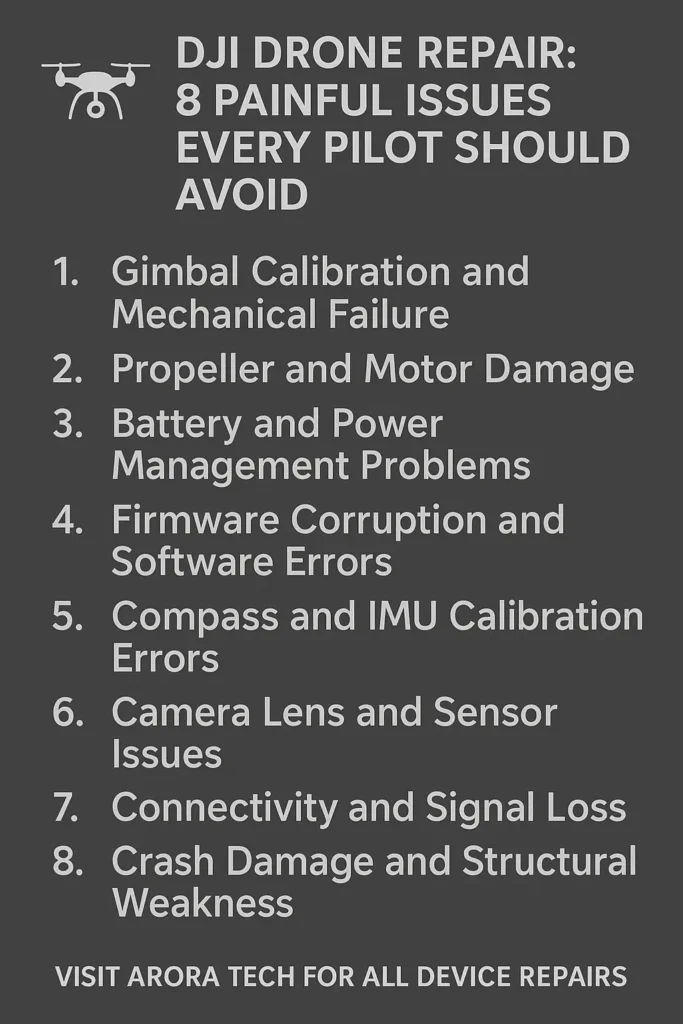
1: Gimbal Calibration and Mechanical Failure
The gimbal is the heart of your DJI drone’s stability system. It ensures smooth, steady footage, even when the drone moves sharply. However, gimbal errors are one of the most common DJI Drone Repair issues.
Common Symptoms
- Camera shakes or tilts unexpectedly
- “Gimbal overload” or “Gimbal motor error” on the controller
- The camera won’t stabilize or points at an odd angle
Causes
Dust particles, hard landings, or calibration drift can easily disrupt the gimbal’s precision motors. In many cases, users try to force manual correction — which worsens the damage.
Solution
- Start with a gimbal auto-calibration from the DJI GO app.
- Inspect for physical obstructions or dirt.
- Avoid flying in windy or dusty conditions.
- If calibration fails, contact a DJI Drone Repair professional like Arora Tech.
Regular cleaning and cautious handling can prevent most gimbal issues. However, if the gimbal’s motors are already weakened, replacement may be necessary.
2: Propeller and Motor Damage
Your drone’s propellers are its lifeline — they generate lift, control direction, and stabilize flight. Cracked or unbalanced propellers cause vibration, erratic movement, and unsafe flights.
Common Symptoms
- Vibrations in hover mode
- Drone drifting sideways
- Motor overheating
Why It Happens
- Hard landings
- Collisions with branches or objects
- Debris stuck between propeller blades
Prevention & Repair
Always inspect your propellers before takeoff. Replace damaged or unbalanced ones immediately. Never reuse old propellers that appear warped or faded — it’s not worth risking your $1000-plus drone.
Motor issues often accompany propeller damage. Motors wear out due to heat buildup or dirt. If you notice strange noises or reduced thrust, seek professional DJI Drone Repair at Arora Tech’s Contact Page.
3: Battery and Power Management Problems
Battery malfunction is another top cause of DJI Drone Repair requests. Even advanced lithium-polymer (Li-Po) batteries degrade over time, and misuse can shorten their lifespan drastically.
Typical Issues
- Drone shuts off mid-air
- Battery swelling or bulging
- Rapid power loss during flight
Preventive Steps
- Always store batteries at 50–60% charge if not flying for long periods.
- Avoid charging immediately after flight — allow batteries to cool.
- Use only DJI-approved chargers.
If a battery swells or emits heat, discontinue use immediately. Bring it to Arora Tech, Gloucester NJ, for a safety inspection and proper disposal guidance. Never puncture or dispose of Li-Po batteries in regular trash.
4: Firmware Corruption and Software Errors
Firmware updates are essential to maintain drone stability, GPS accuracy, and compatibility with mobile devices. However, improper updates can cause system crashes and communication failures.
Symptoms
- App not connecting to the drone
- Drone not responding to controller inputs
- Inconsistent GPS lock or “No Signal” warnings
Solutions
- Ensure a stable internet connection before updating.
- Fully charge both drone and controller.
- Never power off mid-update.
If your drone becomes unresponsive post-update, it might need firmware reinstallation via the DJI Assistant app — or a deeper DJI Drone Repair service. Arora Tech technicians handle these complex firmware resets safely without data loss.
For software-related troubleshooting tips, visit the Arora Tech Blog for detailed guides and repair insights.
5: Compass and IMU Calibration Errors
Your drone’s compass and Inertial Measurement Unit (IMU) are vital for flight stability and orientation. Poor calibration can lead to uncontrollable drift or total flyaway — one of the most painful experiences for any pilot.
Warning Signs
- Drone spins or veers off unexpectedly
- Frequent “Compass Error” or “IMU Error” alerts
- Trouble maintaining altitude
How to Prevent
- Calibrate compass outdoors, away from metal objects or magnetic fields.
- Re-calibrate IMU after firmware updates or crashes.
- Avoid flying near power lines or vehicles.
If errors persist despite recalibration, internal sensors may have shifted or malfunctioned — requiring professional DJI Drone Repair. Book your inspection here.
6: Camera Lens and Sensor Issues
Foggy images, scratches, or focus problems often trace back to lens contamination or internal sensor damage. Given the delicacy of drone cameras, improper cleaning or impact can ruin optical clarity.
What to Watch For
- Blurry or hazy footage
- Focus drift during movement
- Dust particles inside lens housing
Solutions
- Use microfiber cloths only — never tissue or rough fabric.
- Store drones in dust-free cases.
- Avoid shooting during rain or mist without a lens hood.
When in doubt, seek DJI Drone Repair from certified experts like Arora Tech. Their repair specialists diagnose lens alignment issues and replace damaged modules when required.
7: Connectivity and Signal Loss
Losing connection mid-flight is not just frustrating — it’s dangerous. Many drones have been lost due to signal interference or antenna damage.
Common Causes
- Flying in dense urban or Wi-Fi-crowded areas
- Damaged antennas or loose connectors
- Outdated firmware
Prevention
- Keep line-of-sight visibility during flight.
- Avoid flying near cellular towers or high-voltage lines.
- Use signal boosters if needed.
When your drone fails to reconnect automatically, avoid forcing manual control. Instead, power off both units, reset, and test in an open field. If the issue persists, a connectivity module replacement through DJI Drone Repair may be required.
8: Crash Damage and Structural Weakness
Even careful pilots experience minor crashes. But ignoring structural damage can cause catastrophic failure later. Cracked frames, misaligned arms, or damaged landing gears reduce stability and increase motor strain.
Indicators
- Drone leans during takeoff
- Arms vibrate or appear bent
- Propellers scrape during rotation
Repair Options
Arora Tech offers comprehensive DJI Drone Repair that includes structural realignment, motor mount checks, and frame replacements. Using precision equipment, technicians restore your drone’s geometry to factory specifications.
Never rely on glue or temporary fixes — they compromise aerodynamic balance. A drone’s stability relies on millimeter-level alignment. Trust certified professionals to rebuild it correctly.
Bonus Tip: Regular Maintenance and Storage Practices
Proper maintenance is the difference between a drone that lasts one year and one that lasts five. Maintenance includes:
- Checking propeller balance
- Cleaning motor vents
- Updating firmware regularly
- Storing drones in climate-controlled cases
At least once a year, schedule a preventive diagnostic check at a reliable DJI Drone Repair center. It’s far more affordable than replacing an entire drone.
When to Seek Professional Help
Some issues require more than DIY efforts. If your drone:
- Shows multiple sensor or camera warnings
- Doesn’t calibrate even after resets
- Has visible frame or arm cracks
…it’s time to contact professionals. Arora Tech offers drone repair services with diagnostic testing, genuine parts, and transparent pricing.
Reach Us
📍 Address: Next to UGG’s, 100 Premium Outlets Dr Store #785, Gloucester Premium Outlets, Blackwood, NJ 08012, United States
📞 Call Now — +1 856-723-6939
📧 Email Us — techbyarora@gmail.com
🧾 Repair Form — Book a diagnostic session today
You can also explore Arora Tech’s full range of services for smartphones, laptops, tablets, gaming consoles, and other electronic repairs.
Why Choose Arora Tech for DJI Drone Repair
Located conveniently in Gloucester Premium Outlets, Arora Tech is more than a repair shop — it’s a trusted local tech partner. Our trained technicians have years of experience repairing and calibrating DJI models, including:
- Mavic Series (Air, Mini, Pro)
- Phantom Series
- Inspire Series
- FPV & Enterprise models
We use authentic parts and advanced diagnostics to ensure every repair meets professional standards. With quick turnaround times and transparent pricing, we’ve become the go-to spot for DJI Drone Repair in New Jersey.
Learn more about our journey and values on the About Page.
Final Thoughts
Drone repair doesn’t have to be intimidating. With proper care, calibration, and occasional professional servicing, you can keep your DJI drone flying beautifully for years.
However, ignoring the small issues we covered — from gimbal errors to signal loss — can lead to unnecessary downtime and costly damage. So, the next time your drone feels “off,” don’t panic or delay.
Instead, visit Arora Tech, Gloucester NJ for a professional DJI Drone Repair you can trust. Whether it’s diagnostics, part replacement, or full restoration — our experts have you covered.






3 Responses
Can you be more specific about the content of your article? After reading it, I still have some doubts. Hope you can help me. https://accounts.binance.com/en-AU/register-person?ref=IQY5TET4
Your point of view caught my eye and was very interesting. Thanks. I have a question for you.
This is such an important and often overlooked topic Thank you for bringing attention to it and offering valuable advice