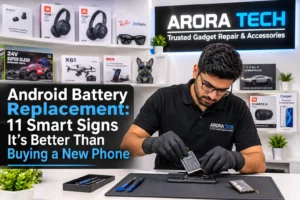
Your Android phone is more than just a communication device. It is your camera, navigation system, entertainment center, digital wallet, personal assistant, and connection to friends, family, and work. However, as your phone gets older, one problem can gradually become impossible to ignore: its battery no longer performs like it used to.
Perhaps your phone used to last an entire day but now needs charging several times. Maybe it shuts down unexpectedly, takes longer to charge, or loses battery percentage even when you are not using it. These problems can make an otherwise perfectly functional phone feel outdated.
But does a weak battery mean you need an entirely new phone?
Not necessarily.
In many situations, Android battery replacement is a more practical and affordable option than purchasing a brand-new device. Modern Android smartphones contain batteries that naturally lose capacity over time. Replacing an aging battery can sometimes restore much of the convenience you experienced when the phone was new.
The important thing is knowing when a battery replacement makes sense and when replacing the entire phone is the smarter decision.
In this guide, we will explore 11 signs that indicate your Android phone may benefit from a new battery, explain how battery aging works, compare replacement costs with buying a new phone, and discuss what to consider before choosing a repair.
Whether you own a Samsung Galaxy, Google Pixel, OnePlus, Motorola, Xiaomi, or another Android smartphone, understanding these factors can help you make a more informed decision.
Let’s find out when Android battery replacement is the right solution and how you can get more life out of the phone you already own.
Why Do Android Phone Batteries Lose Their Performance?
Before deciding whether to replace your battery or your phone, it helps to understand why smartphone batteries deteriorate.
Most modern Android smartphones use rechargeable lithium-ion or lithium-polymer batteries. These batteries are designed to store and release electrical energy efficiently, but their capacity gradually decreases with use and age.
Every time you charge and discharge your phone, the battery experiences a small amount of chemical aging.
Over hundreds of charging cycles, its ability to hold energy gradually declines.
This is a normal process and does not necessarily indicate that your phone has a manufacturing defect.
Several factors can influence how quickly a battery ages.
1. Charging Cycles
A charging cycle represents the use of an amount of battery capacity equivalent to 100% of its total capacity.
For example, using 50% of your battery one day and another 50% the next day is approximately one complete cycle.
You do not need to charge your phone from 0% to 100% for a charging cycle to occur.
As charging cycles accumulate, the battery’s maximum capacity gradually decreases.
2. Excessive Heat
Heat is one of the biggest contributors to battery aging.
Leaving your Android phone in direct sunlight, using demanding applications while charging, or exposing it to high temperatures can accelerate battery deterioration.
This is particularly important in warmer climates, where smartphones may regularly experience higher ambient temperatures.
3. Frequent Deep Discharging
Regularly allowing your battery to reach 0% before charging can contribute to unnecessary battery stress.
Modern smartphones include battery management systems, but avoiding repeated complete discharges is still a sensible habit.
4. Prolonged High Charge Levels
Keeping a lithium-based battery at a very high charge level for extended periods can contribute to chemical aging.
Many modern Android phones include battery protection features that help manage charging.
Using these features where available can help reduce unnecessary battery stress.
5. Natural Aging
Even if you barely use your phone, its battery will still age over time.
Battery chemistry changes naturally, meaning an older phone may develop reduced battery capacity even if it has been handled carefully.
This is why Android battery replacement can become necessary even when the phone has no visible physical damage.
11 Smart Signs Your Android Phone Needs a Battery Replacement
How can you tell whether your phone needs a new battery or whether the problem is caused by something else?
Here are 11 important warning signs to watch for.
1. Your Battery Drains Much Faster Than Before
One of the most obvious signs of battery deterioration is unusually fast battery drain.
When your phone was new, you may have comfortably used it throughout the day without needing to charge it. Now, you might find yourself searching for a charger before lunchtime.
For example:
- Your battery drops from 100% to 70% within a short period of ordinary use.
- Your phone loses a significant amount of charge overnight.
- Watching videos consumes battery much faster than it previously did.
- Your phone needs multiple charging sessions every day.
- Battery percentage decreases noticeably during light activities.
Fast battery drain can have several causes.
Some applications may consume excessive power in the background. Poor network reception can also force your phone to work harder to maintain connectivity.
Other possible causes include high screen brightness, location services, outdated software, and an aging battery.
Before arranging a repair, check your battery usage statistics.
On many Android phones, you can find this information under:
Settings > Battery > Battery Usage.
The exact menu names vary depending on the manufacturer and Android version.
Look for applications that consume unusually high amounts of energy.
If the problem continues after adjusting settings and removing unnecessary background activity, the battery itself may have deteriorated.
In that situation, Android battery replacement may restore much of your phone’s original battery endurance without requiring you to purchase another device.
2. Your Phone Shuts Down Unexpectedly
Imagine checking an important message when your phone suddenly switches off, even though the battery indicator shows 25% remaining.
Unexpected shutdowns can be particularly frustrating because they make it difficult to trust your device.
This problem sometimes occurs when an aging battery can no longer provide the power required during demanding activities.
As batteries deteriorate, their internal resistance can increase. Under certain conditions, the voltage may drop enough for the phone to shut down unexpectedly.
You may notice this while:
- Playing demanding mobile games.
- Recording videos.
- Using navigation applications.
- Taking photographs.
- Running several applications simultaneously.
However, unexpected shutdowns are not always caused by battery deterioration.
Software crashes, overheating, faulty charging circuitry, and other hardware problems can produce similar symptoms.
If your phone repeatedly shuts down despite having battery remaining, a professional diagnostic check can help identify the cause.
If the battery is responsible, replacing it may be considerably more practical than replacing the entire smartphone.
3. Your Battery Percentage Jumps Unexpectedly
Have you ever noticed your battery percentage suddenly changing?
For example, your phone may display 65% battery and then drop to 48% within a short period.
Sometimes, the percentage may even increase slightly without being connected to a charger.
These unusual changes can indicate that the battery management system is struggling to estimate the remaining charge accurately.
As a battery ages, its actual usable capacity can become significantly different from its original design capacity.
This may make battery percentage readings less consistent.
However, software-related problems can also affect battery reporting.
Before assuming that the battery needs replacing, restart your device and install any available software updates.
Avoid repeatedly performing complete 0%-to-100% charging cycles in an attempt to recalibrate the battery. This is generally unnecessary and can add avoidable stress.
If inconsistent battery readings continue, consider getting the battery inspected.
A technician can assess whether Android battery replacement is appropriate or whether another issue is responsible.
4. Your Phone Takes Much Longer to Charge
Another warning sign is unusually slow charging.
If your phone previously charged relatively quickly but now takes several hours to reach a similar percentage, something may be wrong.
Possible causes include:
- A worn-out battery.
- A damaged charging cable.
- An incompatible power adapter.
- Debris inside the charging port.
- A damaged charging connector.
- Software-related charging limitations.
- Problems with the internal charging circuitry.
Start with the simplest checks.
Try another compatible charging cable and adapter from a reliable manufacturer.
Inspect the charging port for visible damage or debris, but do not insert metal objects or sharp tools.
Check whether the phone displays a fast-charging notification when connected to a compatible charger.
If charging remains unusually slow, the problem may require professional attention.
Importantly, a slow-charging phone does not automatically need a battery replacement. A damaged charging port or charging circuit may be responsible.
Proper diagnosis helps prevent unnecessary repairs.
5. Your Phone Becomes Unusually Hot
Smartphones naturally produce some heat during demanding activities.
Gaming, video recording, navigation, video calls, and fast charging can all increase operating temperatures.
However, excessive or persistent heat should never be ignored.
An aging or damaged battery may contribute to overheating, although software problems and other hardware faults can also be responsible.
Watch for symptoms such as:
- The back of the phone becoming unusually hot during light use.
- Excessive heating while charging.
- Unexpected temperature warnings.
- The phone slowing down because of thermal protection.
- Battery percentage dropping quickly alongside increased heat.
If your phone becomes unusually hot, stop demanding activities and allow it to cool in a safe, shaded location.
Disconnect the charger if it is safe to do so.
Do not put the phone in a refrigerator or freezer to cool it down.
If the battery appears swollen, the back cover is lifting, or the display is separating from the frame, stop using and charging the device. Do not press or puncture it. Arrange professional battery service.
A swollen battery is a safety issue, not simply a performance problem.
If battery deterioration is confirmed, Android battery replacement may be necessary to restore safe operation, provided the rest of the device is suitable for repair.
6. The Back Cover Starts Lifting or the Screen Separates
This is one of the most important warning signs on this list.
A smartphone battery can swell as a result of internal chemical changes or damage.
Because modern phones are tightly assembled, an expanding battery may push against the back cover or display.
You might notice:
- A visible gap between the back cover and frame.
- A screen that appears to be lifting.
- A phone that no longer sits flat on a surface.
- A noticeable bulge beneath the back panel.
- Unusual pressure around the edges of the device.
Never attempt to push the cover back into place.
Do not puncture the battery, apply pressure, or continue charging the device.
A swollen lithium-based battery can pose a fire and injury risk.
Stop using the phone and arrange professional service as soon as possible.
This is a situation where Android battery replacement may be necessary, but the repair must be handled carefully by someone equipped to work with damaged batteries.
Depending on the condition of the phone, the technician may also need to inspect the display, frame, and other components for secondary damage.
7. Your Phone Works Fine When Connected to a Charger
Does your phone operate normally while plugged in but struggle when disconnected?
This may indicate that the battery is no longer storing or delivering sufficient energy.
For example, your phone might:
- Switch off immediately after unplugging.
- Remain at a particular battery percentage while charging.
- Shut down during ordinary use.
- Restart repeatedly when running on battery power.
However, this behavior may also be caused by charging circuitry or other internal hardware problems.
A proper inspection is important before deciding on a repair.
If the battery is confirmed to be faulty, replacing it can often restore normal operation.
This is one of the clearest situations in which repairing an existing phone may make more financial sense than buying a replacement device.
8. Your Battery Health Has Significantly Declined
Some Android manufacturers provide battery health information directly through device settings.
The availability and accuracy of these features vary by model and software version.
Certain Samsung devices, for example, provide battery diagnostics through Samsung Members.
Some other Android manufacturers offer battery information through their own diagnostic tools.
If your device provides a battery health estimate, check it periodically.
A battery that has lost a substantial amount of its original capacity may no longer provide satisfactory daily performance.
For example, imagine your phone originally had a 5,000 mAh battery.
If its usable capacity has declined significantly over time, the actual amount of energy available for everyday use may be much lower.
However, battery health percentages should not be treated as perfect measurements.
Different manufacturers use different testing methods, and not every Android phone reports battery health in the same way.
If the battery health information is poor and you are experiencing real-world problems such as fast drain or unexpected shutdowns, Android battery replacement may be worth considering.
9. You Need to Charge Your Phone Multiple Times Every Day
Having to charge your phone repeatedly can affect your everyday routine.
You may start carrying a power bank everywhere, keeping a charging cable at your desk, or searching for wall outlets whenever you leave home.
This can become particularly inconvenient if you depend on your phone for work, navigation, photography, or communication.
Frequent charging is not automatically harmful, but constantly needing additional charging sessions because your phone cannot maintain adequate battery life is a sign worth investigating.
Start by checking whether your usage has changed.
For example, increased video streaming, gaming, mobile data use, and navigation can naturally increase battery consumption.
Also, check whether background applications are responsible.
If your usage remains similar but battery endurance has declined significantly, the battery may have reached the point where replacement makes sense.
A new battery may eliminate the inconvenience of constantly searching for a charger.
10. Your Phone Is Otherwise Working Perfectly
This is perhaps the strongest reason to consider replacing your battery instead of your entire phone.
Think about the overall condition of your device.
Does the display still look good? Does the touchscreen respond properly? Are the cameras working? Is the processor fast enough for your daily applications?
Can you still receive the Android and security updates you need?
If the answer to most of these questions is yes, purchasing an entirely new smartphone may be unnecessary.
For example, imagine you own a Samsung Galaxy phone that is three years old.
Its battery drains quickly, but:
- The display is undamaged.
- The cameras work properly.
- Applications run smoothly.
- Storage is sufficient.
- The phone receives compatible security updates.
- You are satisfied with its features.
In this situation, Android battery replacement could be a sensible investment.
You may be able to continue using a familiar device without spending several hundred dollars on a new smartphone.
11. Battery Problems Are Affecting Your Everyday Productivity
Your smartphone should make everyday life easier.
When battery problems begin interfering with important activities, it may be time to consider a repair.
For example:
- You miss calls because your phone switches off.
- Your navigation stops working during journeys.
- You cannot finish important video meetings.
- Your phone dies before you can complete a payment.
- You cannot rely on it during emergencies.
- You regularly lose access to important applications.
At this point, battery performance is no longer a minor inconvenience.
If the phone is otherwise in good condition, Android battery replacement can be a practical way to restore reliability.
The goal is not necessarily to make your phone perform like a brand-new flagship model. It is to make it dependable enough for your everyday needs.
When Should You Replace the Battery Instead of Buying a New Android Phone?
Recognizing battery problems is only half the decision.
The next question is whether repairing the battery makes more financial sense than purchasing another phone.
There is no universal answer because the decision depends on your device, repair costs, age, software support, and personal requirements.
However, there are several situations in which replacing the battery is usually worth exploring.
Situation 1: Your Phone Is Only Two or Three Years Old
Many smartphones remain perfectly usable for several years.
If your phone is relatively recent and still meets your everyday requirements, a battery replacement may offer excellent value.
Modern processors, cameras, and displays can remain useful long after the original battery begins losing capacity.
Replacing one aging component may be more sensible than replacing the entire device.
Situation 2: The Repair Cost Is Much Lower Than a New Phone
Consider the difference between spending money on a battery repair and purchasing an entirely new smartphone.
For example, imagine these hypothetical costs:
| Option | Estimated cost |
|---|---|
| Android battery replacement | $60–$120 |
| Budget Android phone | $150–$250 |
| Mid-range Android phone | $300–$500 |
| Premium Android phone | $700–$1,200+ |
These figures are illustrative only. Actual prices vary depending on the phone model, battery availability, parts quality, and repair provider.
If a battery replacement costs a fraction of what you would spend on a suitable replacement phone, repairing the existing device may be financially attractive.
Situation 3: Your Phone Still Receives Security Updates
Software support is an important consideration.
Even if your battery can be replaced, an Android phone that no longer receives important security updates may become less suitable for certain activities.
If your device continues receiving manufacturer-supported security updates, that is a positive factor in favor of repair.
Check the manufacturer’s official support information for your exact model.
Do not assume that every phone from the same brand receives identical update support.
Situation 4: You Are Happy With Your Existing Phone
Many people replace smartphones simply because their batteries have deteriorated.
However, you may already like your current phone.
Perhaps you are comfortable with its size, camera quality, interface, storage capacity, and performance.
You may also have accessories that work perfectly with it.
If the battery is the only major problem, replacing the battery may be the simplest option.
Situation 5: You Want to Avoid Unnecessary Electronic Waste
Purchasing a new smartphone creates additional demand for electronic manufacturing and resources.
Keeping a working phone in service for longer can help reduce unnecessary electronic waste.
A battery replacement may extend the useful life of an otherwise functional device.
Responsible electronics consumption is not about avoiding new technology entirely. It is about making sensible decisions regarding products you already own.
When Is Buying a New Android Phone the Better Decision?
Although battery replacement can be worthwhile, it is not always the right choice.
Sometimes, the phone has reached a stage where investing in repairs is no longer practical.
Here are situations where replacing the entire device may make more sense.
1. Your Phone Has Multiple Hardware Problems
If your phone has a damaged display, faulty charging port, malfunctioning cameras, and a deteriorating battery, the total repair cost can become substantial.
In this situation, replacing only the battery will not solve the other problems.
Compare the combined repair estimate with the cost of a suitable replacement phone.
2. Your Phone No Longer Receives Important Security Updates
Software support is essential for protecting your personal information.
If your Android phone no longer receives security updates, it may become increasingly difficult to use safely for sensitive activities.
This is especially important if you regularly use banking applications, business accounts, or other services containing private information.
Before spending money on a battery replacement, check whether the manufacturer still supports your device.
3. Your Phone Is Too Slow for Your Everyday Needs
Older smartphones may struggle with modern applications, demanding games, and newer operating system features.
If your phone consistently freezes, has insufficient memory, or cannot run applications you depend on, a battery replacement will not solve those limitations.
A newer phone may provide a more meaningful improvement.
4. Replacement Parts Are Difficult to Find
Some older Android phones have limited replacement-part availability.
If a compatible battery is difficult to source, the repair may become expensive or impractical.
Always choose a reputable repair provider that can explain the availability and suitability of the replacement part.
5. The Phone Has Serious Liquid Damage
Liquid damage can affect several internal components.
Even if the battery is replaced, corrosion or damaged circuitry may continue causing problems.
A proper inspection is necessary before deciding whether repair is worthwhile.
6. The Total Repair Cost Is Too Close to the Replacement Cost
A useful rule is to compare the complete repair estimate with the price of a suitable replacement phone.
Do not compare the cost of repairing an old flagship with the price of the cheapest new smartphone.
Instead, compare devices with reasonably similar features and capabilities.
If several expensive repairs are necessary and the phone is approaching the end of its software support period, replacement may be the better investment.
How Much Does Android Battery Replacement Cost?
The cost of replacing an Android battery varies considerably.
There is no single price that applies to every Samsung, Google Pixel, Motorola, OnePlus, or other Android device.
Several factors influence the final cost.
1. Phone Brand and Model
Different manufacturers use different battery designs and internal layouts.
Some phones are easier to service than others.
A replacement battery for a popular mid-range model may be more readily available than one for an older premium device.
2. Battery Quality
The replacement part itself is an important consideration.
A reputable repair provider should explain what type of battery will be installed and whether it is compatible with your particular model.
Extremely cheap batteries from unknown sources may have inconsistent quality or safety characteristics.
3. Repair Complexity
Some smartphones require more extensive disassembly than others.
Modern devices often use adhesive to secure the battery and back panel.
This can make removal and installation more complicated.
4. Additional Damage
If the phone has suffered liquid damage, display damage, or charging-port problems, additional repairs may be necessary.
This is why proper diagnosis matters.
5. Warranty and Service Options
Manufacturer-authorized service and independent repair providers may have different pricing structures and warranty terms.
Ask what is included in the quoted price.
A good repair estimate should explain the part, labor, expected completion time, and any applicable warranty.
What Happens During an Android Battery Replacement?
Many people are curious about what actually happens when a technician replaces a smartphone battery.
Although the exact process varies by device, a professional repair generally involves several stages.
Step 1: Initial Device Inspection
The technician checks the phone’s overall condition.
This may include inspecting the display, frame, back cover, charging port, buttons, and battery behavior.
The objective is to identify whether the battery is actually responsible for the reported problem.
Step 2: Battery Diagnosis
Depending on the device, the technician may examine battery information, charging behavior, and available diagnostic readings.
Other possible causes of rapid battery drain or charging problems should also be considered.
Step 3: Device Disassembly
The phone is opened using suitable tools and techniques.
Depending on the design, the back cover or display assembly may need to be carefully removed.
This stage requires particular care because internal cables, connectors, and components can be delicate.
Step 4: Removing the Old Battery
The old battery is disconnected and removed according to the device’s repair requirements.
A swollen battery requires additional precautions.
Batteries should never be punctured, bent, or subjected to unnecessary pressure.
Step 5: Installing the Replacement Battery
A compatible replacement battery is installed and connected.
The technician should ensure that the battery is properly positioned and secured.
Step 6: Testing the Device
After installation, the phone should be checked for normal operation.
This may include:
- Powering on the device.
- Checking charging behavior.
- Inspecting battery recognition.
- Testing basic functions.
- Checking the display and buttons.
- Inspecting the phone’s physical assembly.
Step 7: Final Inspection
The device is checked again to ensure that the repair has been completed appropriately.
If your phone supports battery diagnostics or reporting features, the technician may also explain what information is available after the replacement.
A professional repair process should prioritize safety, compatibility, and proper testing rather than simply installing a new battery as quickly as possible.
Is Android Battery Replacement Safe?
Yes, battery replacement can be a safe and routine repair when performed using suitable parts and appropriate procedures.
However, smartphone batteries should never be treated like ordinary removable accessories.
Lithium-based batteries store significant energy and can become hazardous if damaged, punctured, overheated, or incorrectly handled.
For this reason, professional repair is recommended if your phone has a sealed battery.
Avoid attempting to remove an internal battery using knives, screwdrivers, or household tools.
If the battery is swollen, do not attempt to open the device yourself.
When arranging Android battery replacement, consider asking the repair provider:
- Is the battery compatible with my exact phone model?
- What type of replacement part will be used?
- Is the installation covered by a warranty?
- Will the phone be tested after installation?
- Will the repair affect its water-resistance rating?
- Are there any existing problems that could affect the repair?
Water resistance deserves particular attention.
Opening a modern smartphone can compromise its original factory seals. Even if new adhesive is installed, the original water-resistance rating should not automatically be assumed to remain unchanged.
A reliable repair provider should explain these limitations clearly.
Will Replacing the Battery Make Your Android Phone Faster?
This is a common question.
A battery replacement can sometimes improve the experience of using an older smartphone, but it does not automatically increase processor speed.
The processor, RAM, storage, and software all influence overall performance.
However, battery-related issues can sometimes affect how a phone behaves.
For example, certain devices may manage performance differently when battery condition becomes poor or power delivery becomes unstable.
If your phone experiences unexpected shutdowns, power-related instability, or battery-related performance limitations, replacing a faulty battery may improve reliability.
But if the phone is slow because it has insufficient RAM, outdated software, or nearly full storage, a battery replacement will not fix those problems.
The best approach is to identify the actual cause rather than assuming every performance issue comes from the battery.
Will a New Battery Restore Your Phone’s Original Battery Life?
In many cases, installing a good-quality compatible battery can noticeably improve battery endurance.
However, the actual result depends on the replacement part, phone condition, software, and usage habits.
If your original battery has lost significant capacity, a new battery may allow the phone to operate much closer to its original battery performance.
For example, a phone that previously lasted only four or five hours of active use may provide considerably more usage time after a successful replacement.
However, exact improvements cannot be guaranteed.
A phone with an older processor, power-hungry display, poor network reception, or demanding applications may still consume energy quickly.
The objective of Android battery replacement is to restore the battery’s ability to store and deliver energy, not to eliminate every factor that affects battery consumption.
How to Make Your New Android Battery Last Longer
Once you have replaced your battery, developing good charging habits can help protect your investment.
Here are some practical recommendations.
1. Avoid Excessive Heat
Keep your phone away from direct sunlight and extremely hot environments.
Avoid demanding gaming sessions if your phone becomes excessively hot while charging.
2. Use Reliable Charging Accessories
Choose compatible charging adapters and cables from reputable manufacturers.
Avoid damaged cables and suspiciously cheap charging products.
3. Enable Battery Protection Features
Many Android phones include battery protection options.
Depending on your model, these may limit charging to a selected percentage or use adaptive charging to reduce the time spent at a high charge level.
Explore your phone’s battery settings.
4. Reduce Unnecessary Background Activity
Some applications continue consuming energy even when you are not actively using them.
Review battery usage and restrict unnecessary background activity where appropriate.
5. Adjust Screen Brightness
The display can be a significant source of battery consumption.
Use automatic brightness or select a comfortable brightness level instead of keeping the screen unnecessarily bright.
6. Turn Off Unnecessary Connectivity Features
Bluetooth, location services, and other wireless features do not always need to remain active.
Disable features when you are not using them, where practical.
7. Keep Your Software Updated
Updates may improve system efficiency, fix bugs, and address applications that consume excessive energy.
Install updates compatible with your phone.
8. Avoid Unnecessary Battery Draining
You do not need to deliberately drain your battery to 0%.
Charging when convenient and avoiding prolonged exposure to extreme charge levels can help reduce unnecessary battery stress.
9. Monitor Battery Performance
Pay attention to changes in battery endurance.
If a new battery starts behaving unusually, contact the repair provider while any applicable warranty is active.
Common Myths About Android Battery Replacement
There is a lot of conflicting information about smartphone batteries.
Let’s clear up some common misunderstandings.
Myth 1: If the Battery Is Bad, the Entire Phone Is Bad
This is incorrect.
The battery is only one component of a smartphone.
If the display, processor, cameras, charging system, and other components work correctly, battery replacement may be all that is required.
Myth 2: Every Phone Battery Must Be Replaced After Two Years
There is no universal replacement schedule.
Some batteries remain satisfactory for longer, while others deteriorate more quickly because of usage patterns, temperature, and charging habits.
Replace a battery based on its condition and performance rather than following an arbitrary calendar.
Myth 3: A New Battery Will Make Any Old Phone Feel Brand-New
A battery replacement can improve battery endurance, but it cannot upgrade an old processor, increase RAM, or restore unsupported software.
Your expectations should be realistic.
Myth 4: Third-Party Batteries Are Always Bad
Not every independently manufactured replacement battery is automatically unsuitable.
Quality, compatibility, manufacturing standards, and supplier reliability matter.
Choose a reputable repair provider that can explain the replacement part.
Myth 5: You Must Drain a New Battery Completely Before Charging
Modern lithium-based batteries do not require repeated complete discharge cycles to activate them.
Normal charging is generally sufficient.
Myth 6: A Phone That Charges to 100% Has a Perfect Battery
A phone displaying 100% does not necessarily mean its battery retains its original capacity.
An aging battery may reach 100% of its reduced available capacity.
Battery condition should be evaluated through performance and appropriate diagnostics.
Android Battery Replacement vs. Buying a New Phone: A Practical Comparison
If you are still uncertain, compare the two options across several important factors.
| Factor | Battery replacement | Buying a new phone |
|---|---|---|
| Initial expense | Usually lower | Usually higher |
| Existing data and setup | Often retained | Transfer may be required |
| Familiar interface | No learning curve | May require adjustment |
| Camera upgrades | No | Possible |
| Processor upgrades | No | Possible |
| Battery endurance | Can improve significantly | Depends on new model |
| Software support | Depends on existing phone | Depends on new model |
| Electronic waste | Helps extend existing device use | Adds a new device |
| Best suited for | Otherwise functional phones | Outdated or extensively damaged phones |
For many people, battery replacement is the sensible first option when the battery is the only major problem.
However, the final decision should always be based on the actual condition of your phone.
Why You Should Not Ignore Android Battery Problems
A deteriorating battery can affect much more than convenience.
Ignoring serious battery problems may lead to additional complications.
For example, a damaged or swollen battery can put pressure on the display and internal components.
Repeated unexpected shutdowns can interrupt important activities and create the risk of losing unsaved work.
Unreliable charging can make it difficult to depend on your phone during emergencies.
If you notice unusual heat, swelling, or physical separation of the phone’s components, treat the problem seriously.
Do not wait until the phone becomes completely unusable.
Getting a professional assessment early can help you understand the problem and determine the safest next step.
How to Choose the Right Android Battery Repair Service
Once you decide that battery replacement may be necessary, the next challenge is finding a reliable repair provider.
A smartphone contains delicate components, and the quality of the repair matters.
Here are some things to consider before choosing a service.
1. Experience With Your Phone Brand
Different Android manufacturers use different internal designs.
A technician should be familiar with your particular brand and model.
Ask whether the repair provider has experience working on your device.
2. Transparent Pricing
You should understand the expected cost before approving the repair.
Ask whether the quoted amount includes the battery, installation, and testing.
Also ask whether additional charges could apply if other damage is discovered.
3. Replacement Battery Quality
A suitable replacement battery should match your device’s specifications.
Avoid choosing a repair provider based entirely on the lowest advertised price.
Battery compatibility and safety are more important than saving a small amount.
4. Proper Testing
The phone should be checked after installation.
Charging behavior, basic operation, and battery performance should be inspected.
5. Repair Warranty
Ask whether the repair includes a warranty and what it covers.
Understand any limitations before handing over your device.
6. Honest Repair Recommendations
A trustworthy technician should explain whether replacing the battery is worthwhile.
If the phone has several serious problems, you should be told about them before spending money.
The purpose of a repair assessment is to help you make an informed decision, not pressure you into unnecessary work.
Why Consider Arora Tech for Your Device Repair Questions?
When your Android phone begins experiencing battery problems, finding clear information and practical repair assistance can make the situation much easier.
At Arora Tech, the focus is on helping customers understand common electronic device problems and explore appropriate repair solutions.
Located inside Gloucester Premium Outlets in Blackwood, New Jersey, Arora Tech provides a convenient location for customers who want to discuss device-related concerns while visiting the shopping center.
Whether you are dealing with battery issues, charging problems, screen damage, or other smartphone concerns, understanding the problem is the first step toward finding the right solution.
Not every malfunctioning phone needs to be replaced.
Sometimes, a repair can help you continue using a device you already know and enjoy.
If you are considering Android battery replacement, it is worth getting the phone assessed before spending money on an entirely new smartphone.
You can explore the business and available services through the Arora Tech website.
Visit Arora Tech at Gloucester Premium Outlets
If you are in the Blackwood area, you can visit the store at:
Arora Tech
Next to UGG’s, 100 Premium Outlets Dr, Store #785, Gloucester Premium Outlets, Blackwood, NJ 08012, United States.
If you have questions about your phone or want to inquire about available repair services, you can contact the team.
Call Now: +1 856-723-6939
Email: techbyarora@gmail.com
You can also submit your inquiry through the Arora Tech Repair Form.
Frequently Asked Questions About Android Battery Replacement
1. How do I know if my Android battery needs replacing?
Common signs include rapid battery drain, unexpected shutdowns, inconsistent battery percentages, excessive heat, and reduced battery endurance. A swollen battery requires immediate attention and should not continue being used or charged.
2. How many years does an Android phone battery last?
There is no fixed lifespan. Battery longevity depends on charging cycles, temperature, usage, battery chemistry, and the particular phone model. Many smartphone batteries begin showing noticeable capacity loss after a few years, but individual results vary.
3. Is it worth replacing the battery in a three-year-old Android phone?
It can be worthwhile if the phone is otherwise in good condition, performs your everyday tasks comfortably, and continues receiving appropriate security updates. Compare the repair estimate with the cost of a suitable replacement phone.
4. Will replacing my Android battery delete my data?
A routine battery replacement generally should not require deleting your personal data. However, unexpected complications can occur during repairs. Always back up important information before handing over your device.
5. Can I replace my Android battery myself?
Some older Android phones have removable batteries, but most modern smartphones use sealed internal batteries. Professional replacement is generally recommended because improper handling can damage the device or create safety risks.
6. Does a new battery improve phone performance?
It can improve reliability when the original battery is responsible for power-related problems. However, it will not upgrade the processor, RAM, storage, or software capabilities.
7. Should I replace my battery if it is draining quickly?
Not immediately. First check battery usage, screen brightness, background applications, network reception, and software updates. If the problem continues, arrange a battery assessment.
8. Is a swollen Android battery dangerous?
Yes. A swollen lithium-based battery can present a fire and injury risk. Stop using and charging the phone, do not press or puncture the battery, and arrange professional service.
9. Will my phone remain waterproof after battery replacement?
Do not assume that it will. Opening the phone can compromise the original factory seals. Even when replacement adhesive is used, the original water-resistance rating may not be restored.
10. How long does Android battery replacement take?
Repair time varies depending on the phone model, battery availability, device construction, and repair provider. Ask for an estimated completion time before approving the service.
11. Should I buy a new phone instead of replacing the battery?
If your phone is otherwise functional and the battery is its main problem, replacement may be more economical. If it has multiple hardware faults, poor performance, or outdated security support, purchasing a new device may be more sensible.
Final Thoughts: Replace the Battery, Not the Entire Phone, When It Makes Sense
A smartphone does not automatically become outdated just because its battery begins losing capacity.
Many Android phones remain capable of handling everyday tasks long after their original batteries have deteriorated.
If your display works, applications run smoothly, cameras perform properly, and the device continues receiving appropriate software support, replacing the battery may be a sensible way to extend its useful life.
The most important thing is to identify the actual problem before making a decision.
Watch for warning signs such as rapid battery drain, unexpected shutdowns, slow charging, excessive heat, and swelling. Check your phone’s battery settings, rule out software-related problems, and seek professional advice when necessary.
Remember that Android battery replacement is not always the answer, but it is certainly worth considering before purchasing an entirely new smartphone.
A well-timed repair can help you save money, avoid unnecessary electronic waste, and continue using a device that already fits your everyday needs.
If your Android phone is giving you battery-related trouble, consider getting it inspected before deciding to replace it.
Have questions about your phone or need assistance with a device repair?
Visit Arora Tech at Gloucester Premium Outlets in Blackwood, New Jersey, or get in touch with the team.
Make an informed decision, take care of your technology, and get the most out of the devices you already own.